
Article
A 2027 planner in Spanish for reMarkable, Kindle Scribe, Supernote and Boox
Most planners for e-ink tablets are written in English, start the week on Sunday and count the hours in am and pm. The Spanish January edition of the Graphite Planner is in Spanish from the cover to the last note page, starts every week on Monday and uses a 24-hour clock. It runs from 1 January to 31 December 2027 and has a layout for each common pen tablet: reMarkable, Kindle Scribe, Supernote and Boox. Here is what is translated, how the calendar works, which file to pick and how to import it.
What is in Spanish
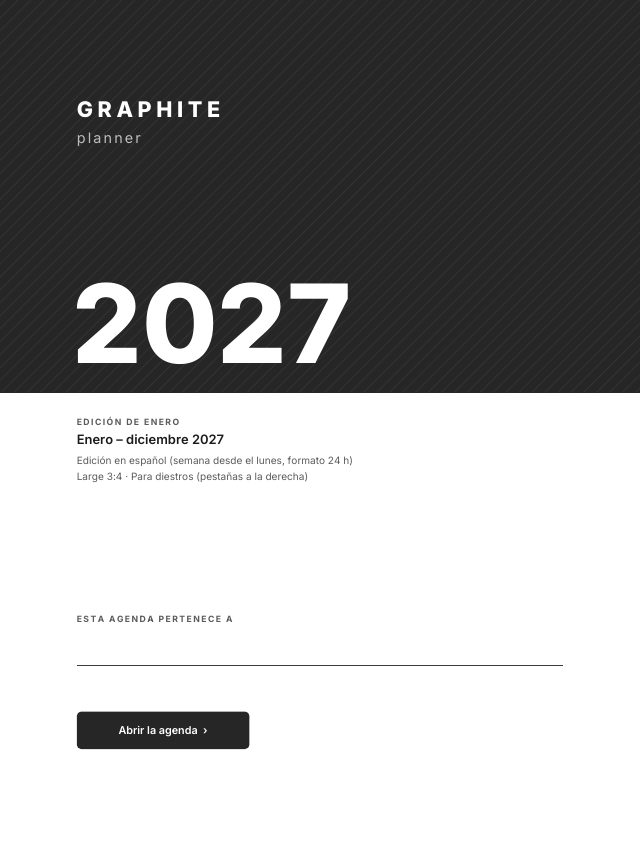
Everything you read or tap on the page. The cover says «Edición de enero» and «Enero – diciembre 2027», and its button says «Abrir la agenda». Every day page is dated the Spanish way, such as «15 de enero de 2027», with its weekday and a counter like «día 15 de 365».
The month tabs down the side read ENE, FEB, MAR and so on to DIC, and the columns of each month read LUN, MAR, MIÉ, JUE, VIE, SÁB and DOM. The buttons in the top bar are Spanish too: Índice, Año, T1 to T4 for the quarters, the month, «Sem.» for the week, and Tareas. So are the section names: Horario, Top 3, Tareas and Notas on the day page, Hábitos for the monthly tracker, Objetivos para 2027, Fechas clave, Proyectos and Balance de 2027.
Before release, a script reads every page of all eight files for English day or month names and finds none. The only English in the download is the setup guide; the import steps below cover the same ground.
Weeks from Monday, with ISO numbers
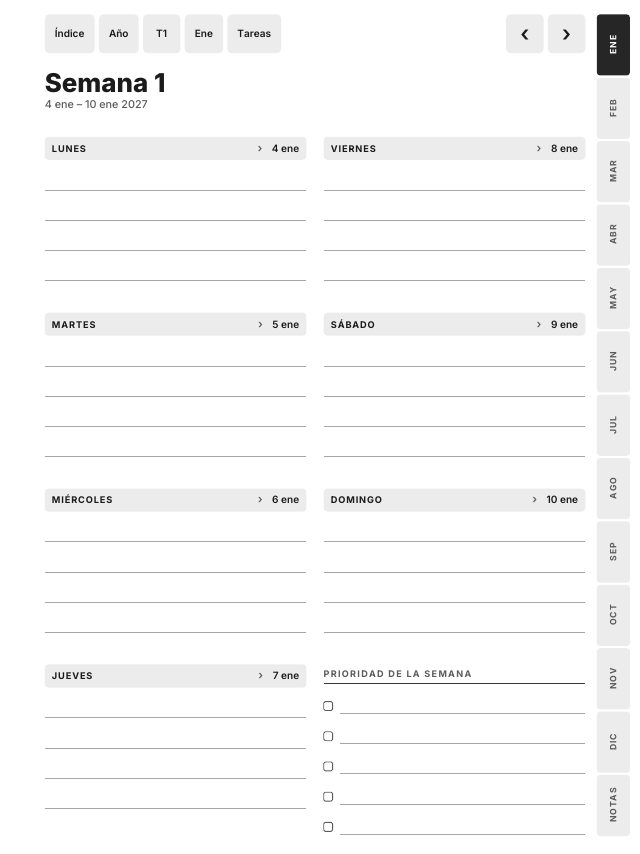
Every week starts on Monday, as calendars do in Spain, and carries its ISO week number, the standard in Europe. The week pages are titled «Semana 1» to «Semana 52», and the month page shows the number at the start of each row.
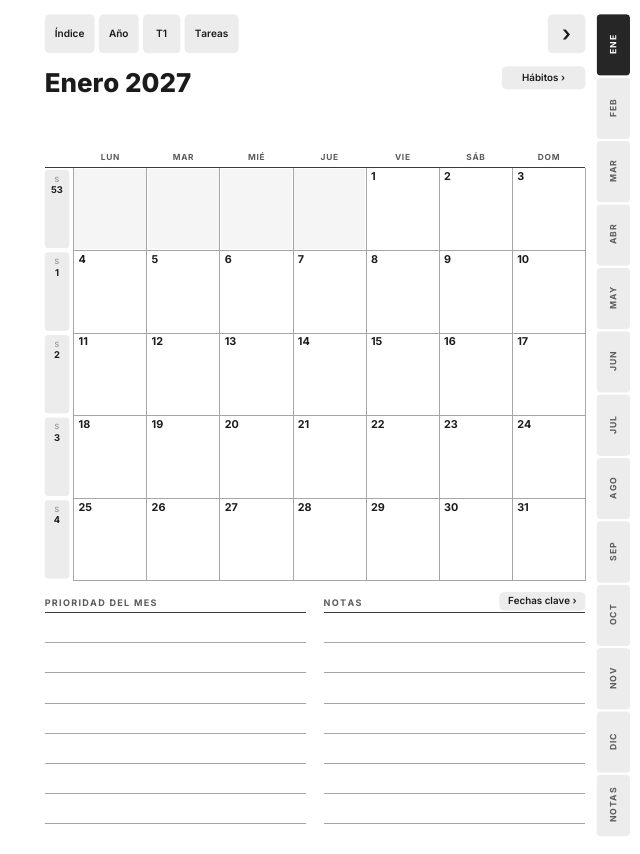
1 January 2027 is a Friday, so the first week page is «Semana 53», from Monday 28 December 2026 to Sunday 3 January 2027. The four December days are printed in grey with no link; they are the only 2026 dates in the file. «Semana 1» begins on Monday 4 January.
A 24-hour clock
The day page has a schedule from 07:00 to 21:00, one writing row per hour, with a top 3, a task list and notes beside it. On the Paper Pro Move, whose layout is drawn for a narrower screen, the schedule runs from 08:00 to 17:00 and tasks and notes share one list.
Behind the Index sit 365 day pages, 53 week pages, 12 months with a habit tracker and a task page each, plans for T1 to T4, goals, key dates, 16 projects and 40 note pages. It is the same planner as the English January edition, page for page and link for link: only the language and the calendar conventions change.
Which file for your tablet
| Your tablet | File |
|---|---|
| reMarkable 2, Paper Pure, Paper Pro | Large 3:4 |
| reMarkable Paper Pro Move | Move 9:16 |
| Kindle Scribe, every generation, Colorsoft included | Kindle Scribe |
| Supernote Manta | Large 3:4 |
| Supernote Nomad | Compact 3:4 |
| Boox Note Air, Tab Ultra, Note Max, Tab X | Large 3:4 |
| Boox Nova Air, Tab Mini (7.8") | Compact 3:4 |
Each layout comes right-handed, with the month tabs on the right, or left-handed, with the tabs on the left: eight PDFs in one zip, 524 to 527 pages and about 1.3 to 1.6 MB each. You only need one. Match the hand to the side where your toolbar opens, so that side has nothing to tap. In the Kindle Scribe file every link sits at least 10 mm from the top and side edges, where taps are easiest to miss.
How to import it
- Unzip the download on a computer. No tablet opens a zip.
- reMarkable: drag the PDF into the reMarkable desktop or mobile app. Links need software 3.3 or later.
- Kindle Scribe: send it with Send to Kindle, by web, app or email. Not by USB, and never with convert in the email subject, which turns the planner into a book with no pages or links.
- Supernote: copy it with the Partner app, Supernote Cloud or a USB cable into the Document folder.
- Boox: copy it by USB or BooxDrop into a normal folder and open it in NeoReader, with reflow and cropping off.
On every tablet you write with the pen and follow links with a fingertip. Then try three taps: on the Index, tap «Ene», then 15 on the month, then «Índice» in the top bar. If all three land, the planner is ready. The 92,838 links in the eight files are opened by three PDF readers and checked by script before release. For more detail per tablet, see the reMarkable planner from 1 January and the Kindle Scribe setup with Send to Kindle; the steps are the same for these files.
Also in German, French and Swedish
Spanish is one of four languages. A separate download has the planner in German, French and Swedish, each with the January edition and the October start, for every tablet. Both downloads are in the languages section of the planner page, next to the English edition, which also comes with a Sunday start or a 12-hour clock.
Frequently asked questions
- Is there a 2027 planner in Spanish for the reMarkable or the Kindle Scribe?
- Yes. The Spanish January edition of the Graphite Planner runs from 1 January to 31 December 2027, with Spanish days, months, tabs and buttons, and has files for reMarkable, Kindle Scribe, Supernote and Boox.
- Does the Spanish planner start the week on Monday?
- Yes. Every week starts on Monday and shows its ISO week number, and the day pages use a 24-hour clock from 07:00 to 21:00.
- Which file do I use on a Boox or a Supernote?
- Large 3:4 for 10.3 inch and larger screens, such as the Supernote Manta or the Boox Note Air. Compact 3:4 for 7.8 inch screens, such as the Supernote Nomad or the Boox Nova Air.
- Is the planner also in German, French or Swedish?
- Yes. A separate download has it in German, French and Swedish, with both the January edition and the October start, for every tablet.