
Dated · October 2026 to December 2027
Graphite Planner 2027
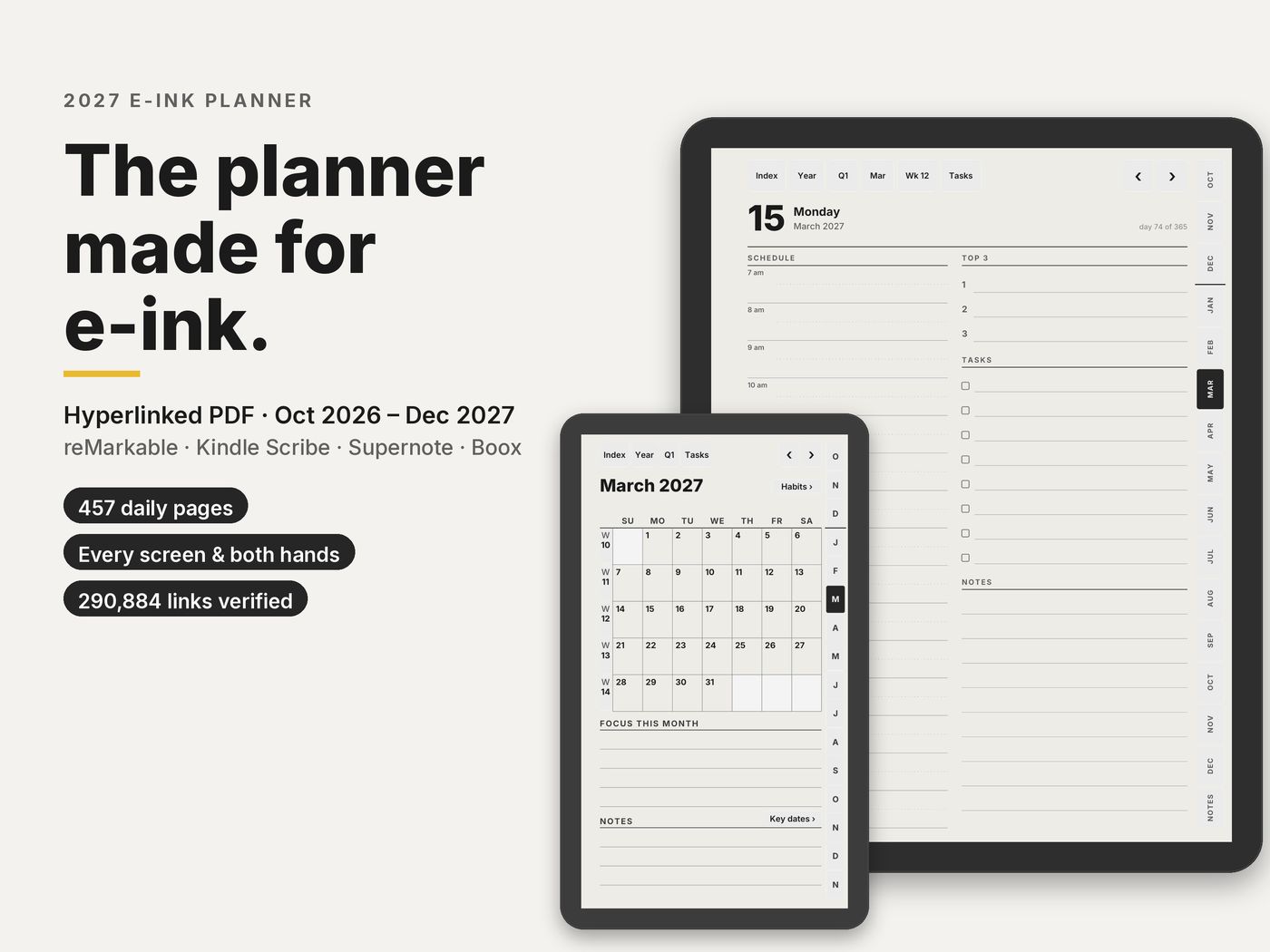
October 2026 to December 2027. Large, Compact and Move layouts, three calendar editions, right- and left-handed.
- Every tablet
$18.90
Charged in USD at checkout.Charged in USD at checkout ($18.90); your bank converts at its rate.
- 18 PDFs: 3 layouts × 3 editions × 2 hands
- About 639 to 643 pages per file
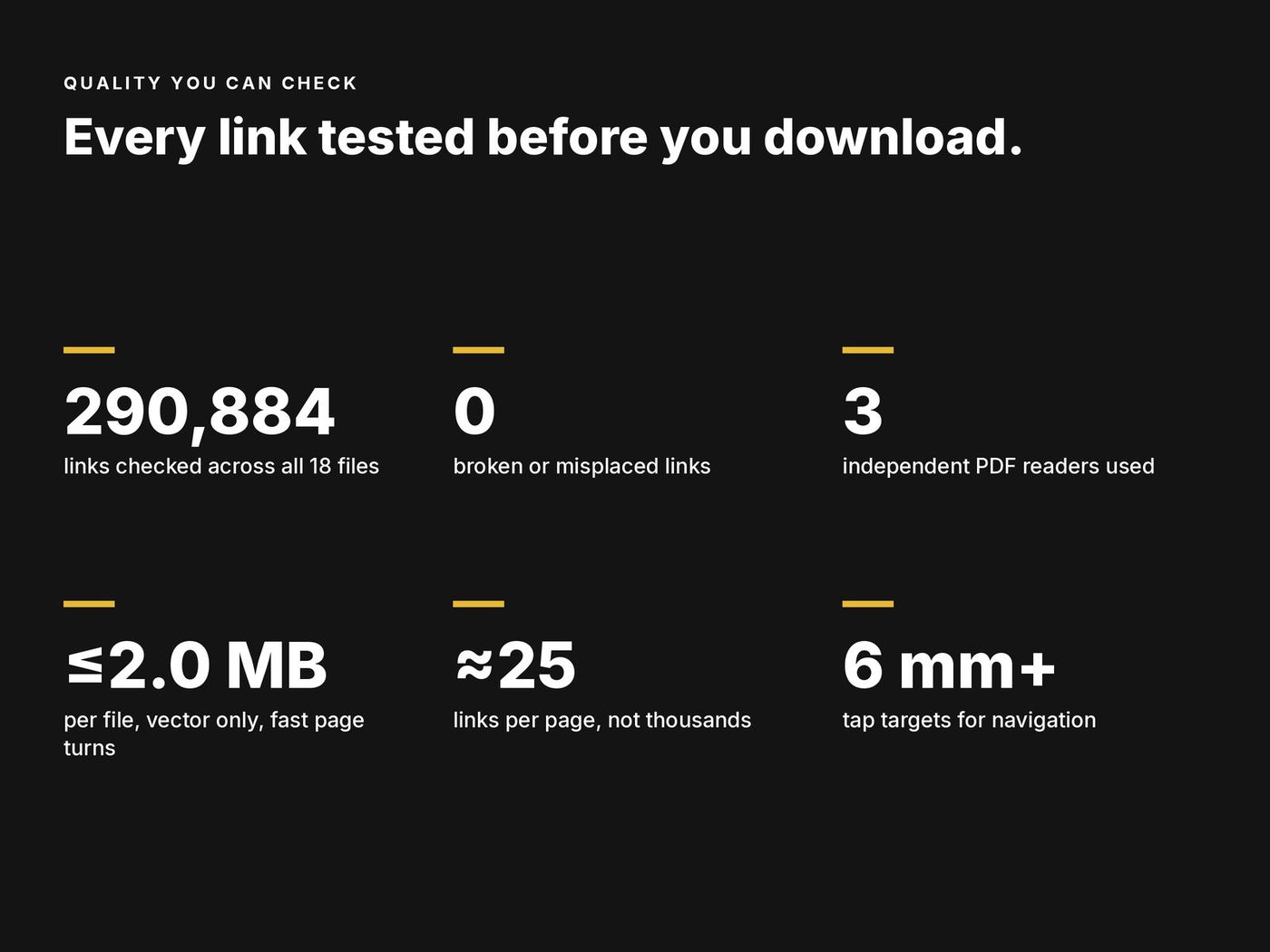
- 290,884 links checked before release
- Files of 1.6 to 2.0 MB, vector only
Instant download · Personal-use licence · Also works in GoodNotes and Notability on iPad
Built for what e-ink planners usually get wrong
- Links that work. All 290,884 links in the 18 files are opened by three PDF readers and checked by script before release.
- Nothing under the toolbar. The toolbar side of every page is kept free of links, so no button hides behind it.
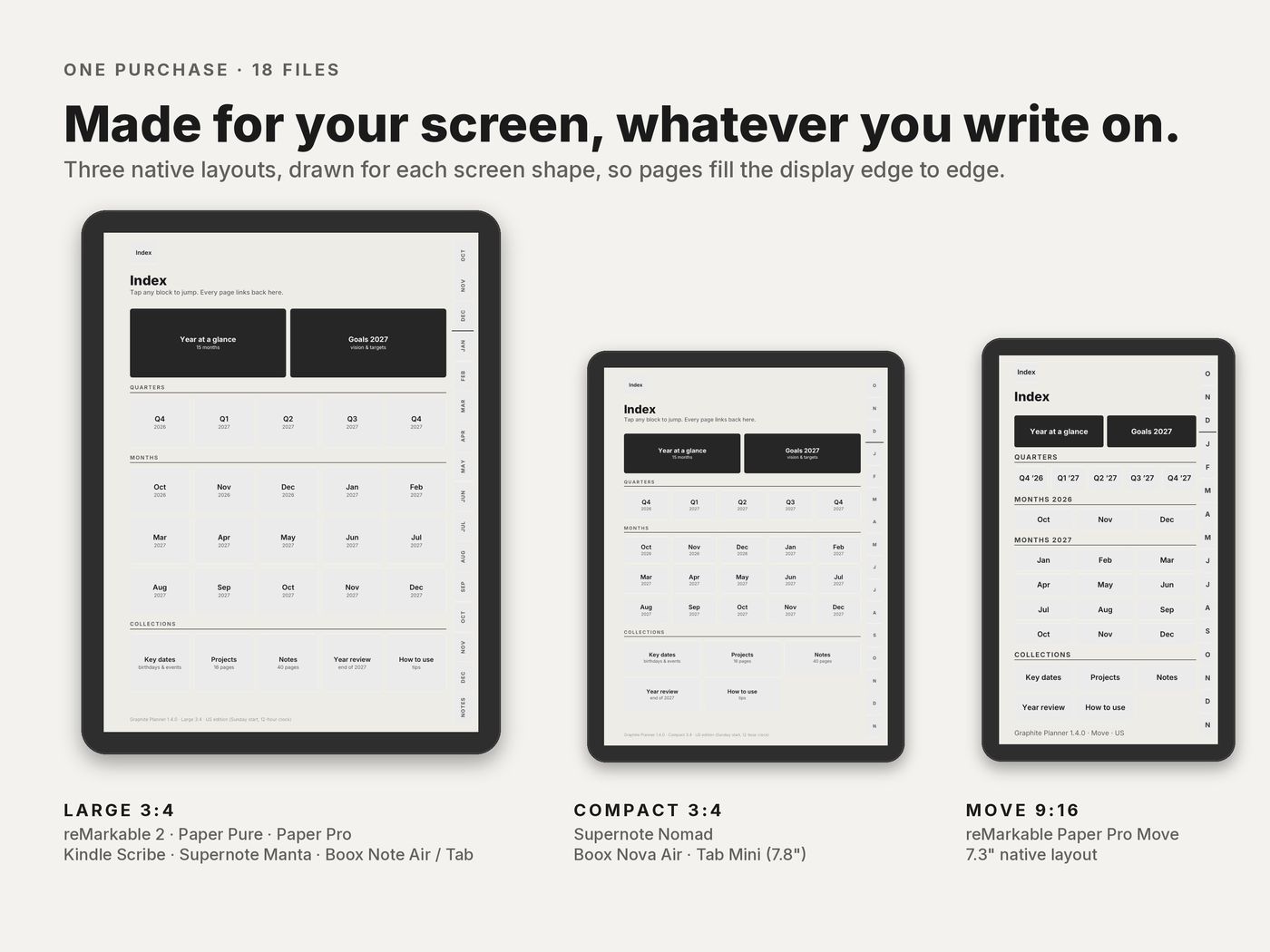
- A native layout for each screen shape. Large 3:4, Compact 3:4 for 7.8 inch screens and 9:16 for the Paper Pro Move, not one file stretched to fit.
- Right- and left-handed versions. The month tabs and the toolbar margin swap sides to match your tablet's hand setting.
- Contrast for e-ink. Near-black text, and on the Move no text is lighter than a dark grey.
- 12-hour and 24-hour editions, with Sunday or Monday start.
- Instant download. Pay here and download straight away; the link also comes in your email receipt. No ZIP inside a ZIP.
What's inside each file
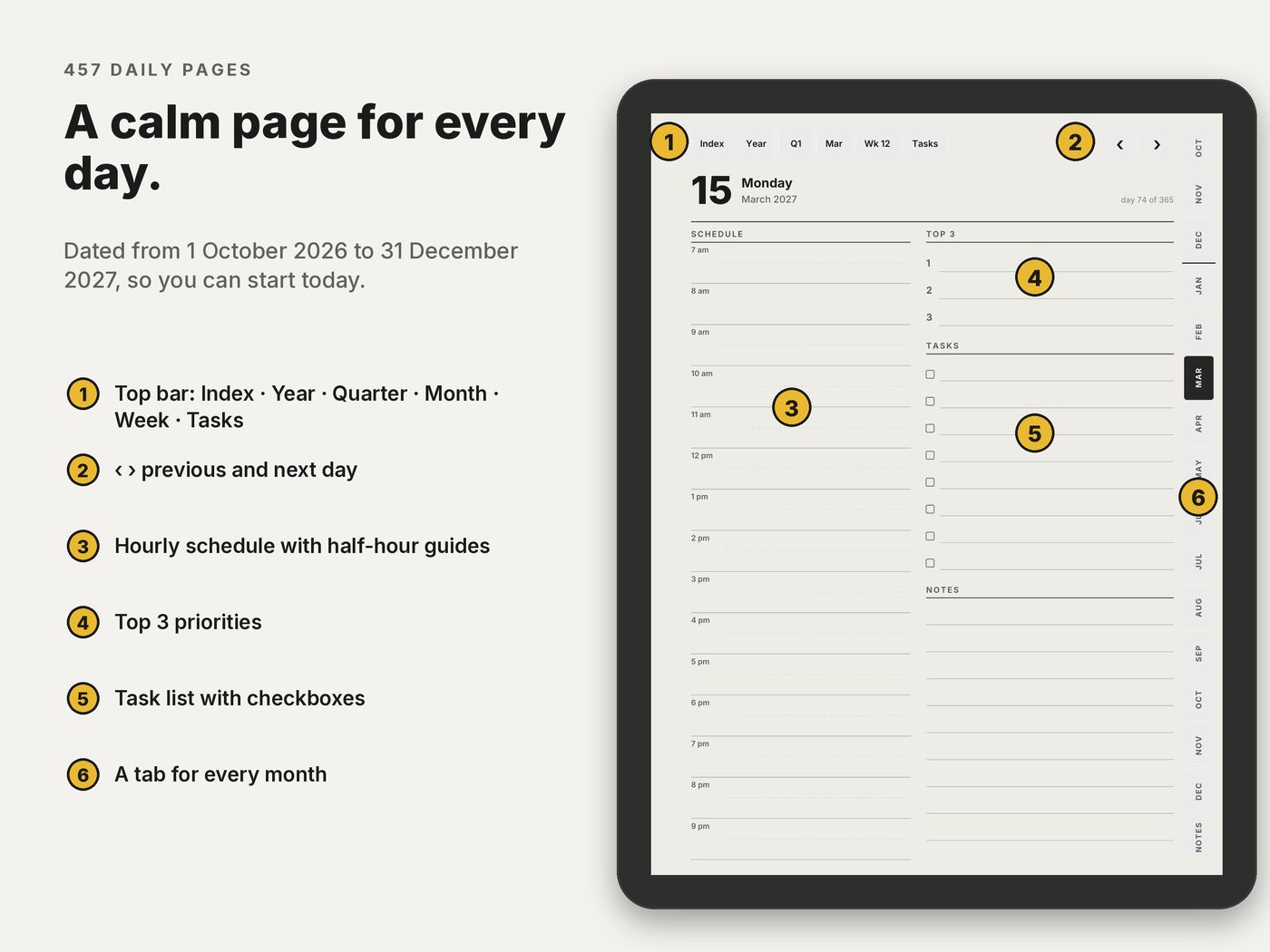
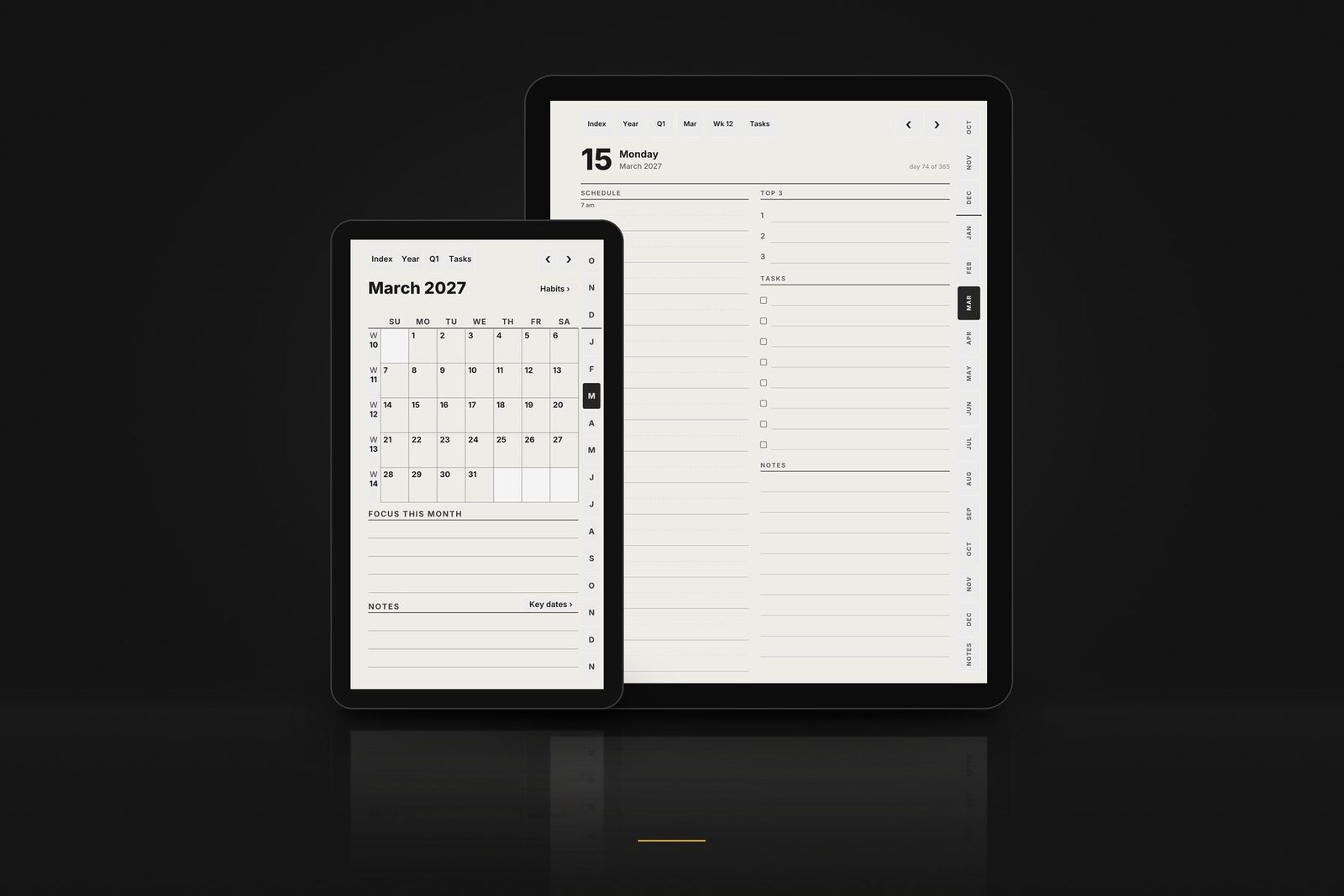
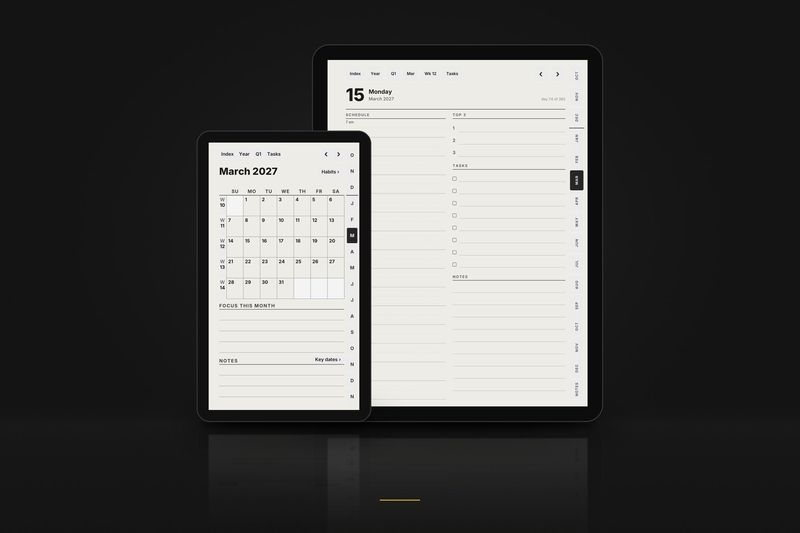
- 457 daily pages 1 October 2026 to 31 December 2027: hourly schedule, top 3, tasks and notes.
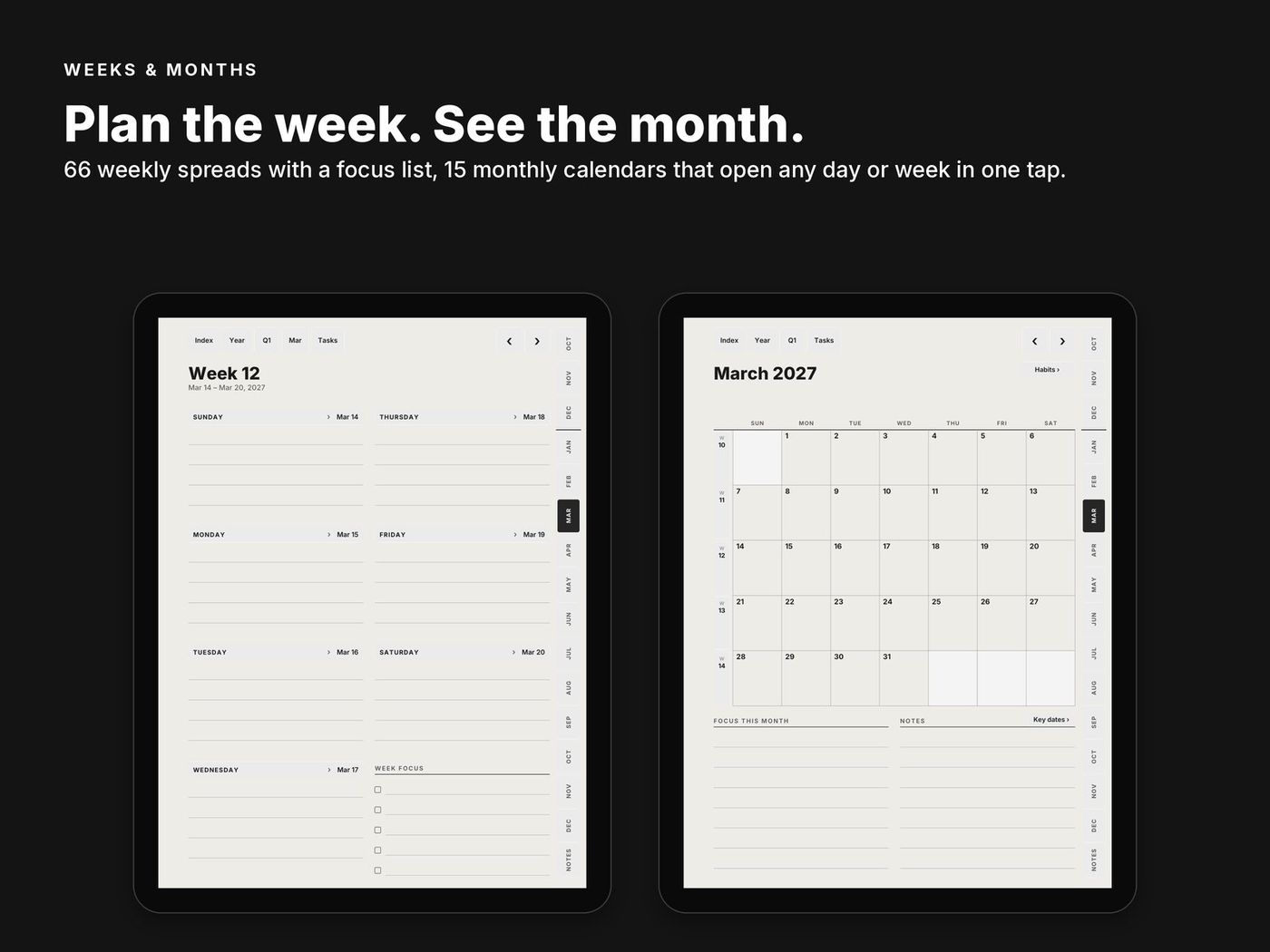
- 66 weekly pages with a focus list.
- 15 monthly calendars and 15 monthly habit trackers.
- 15 monthly task pages one tap from the top bar of any day, week or month page.
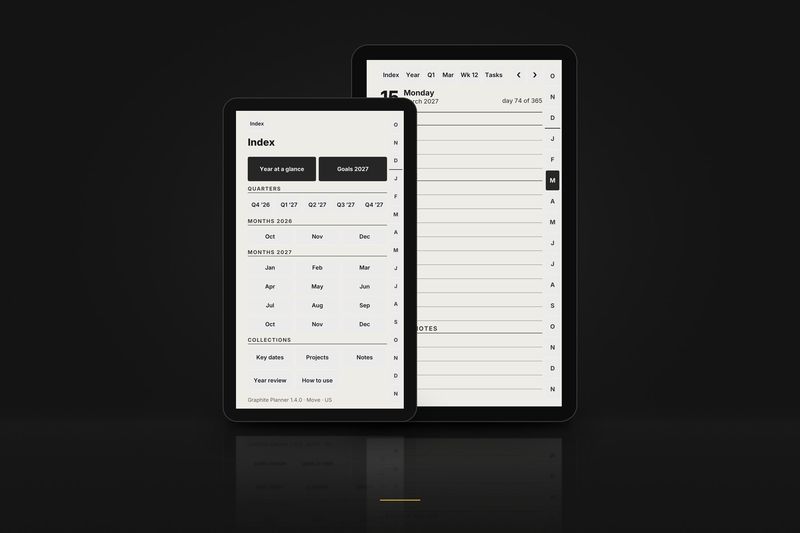
- Year and goals year at a glance, goals for 2027, key dates on 2 pages and 2027 in review.
- 5 quarter plans Q4 2026 to Q4 2027, with goals and reviews.
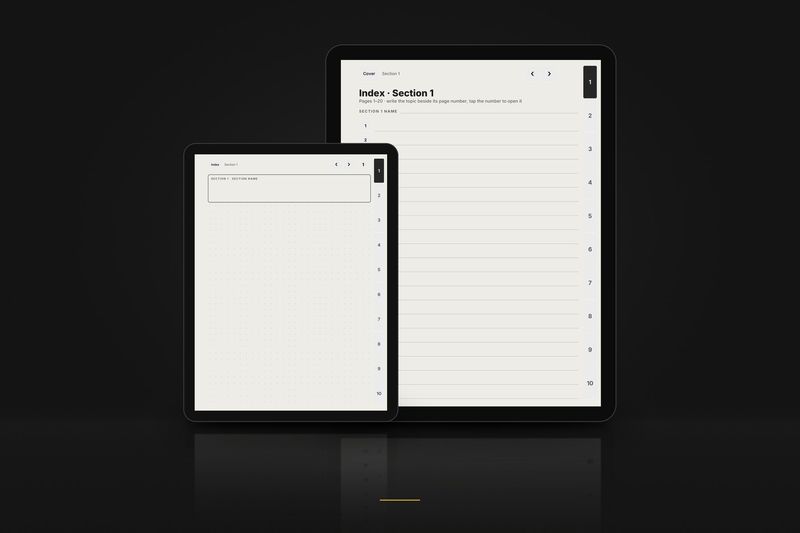
- 16 project pages and 40 dot-grid note pages each set with a linked index.
Getting around
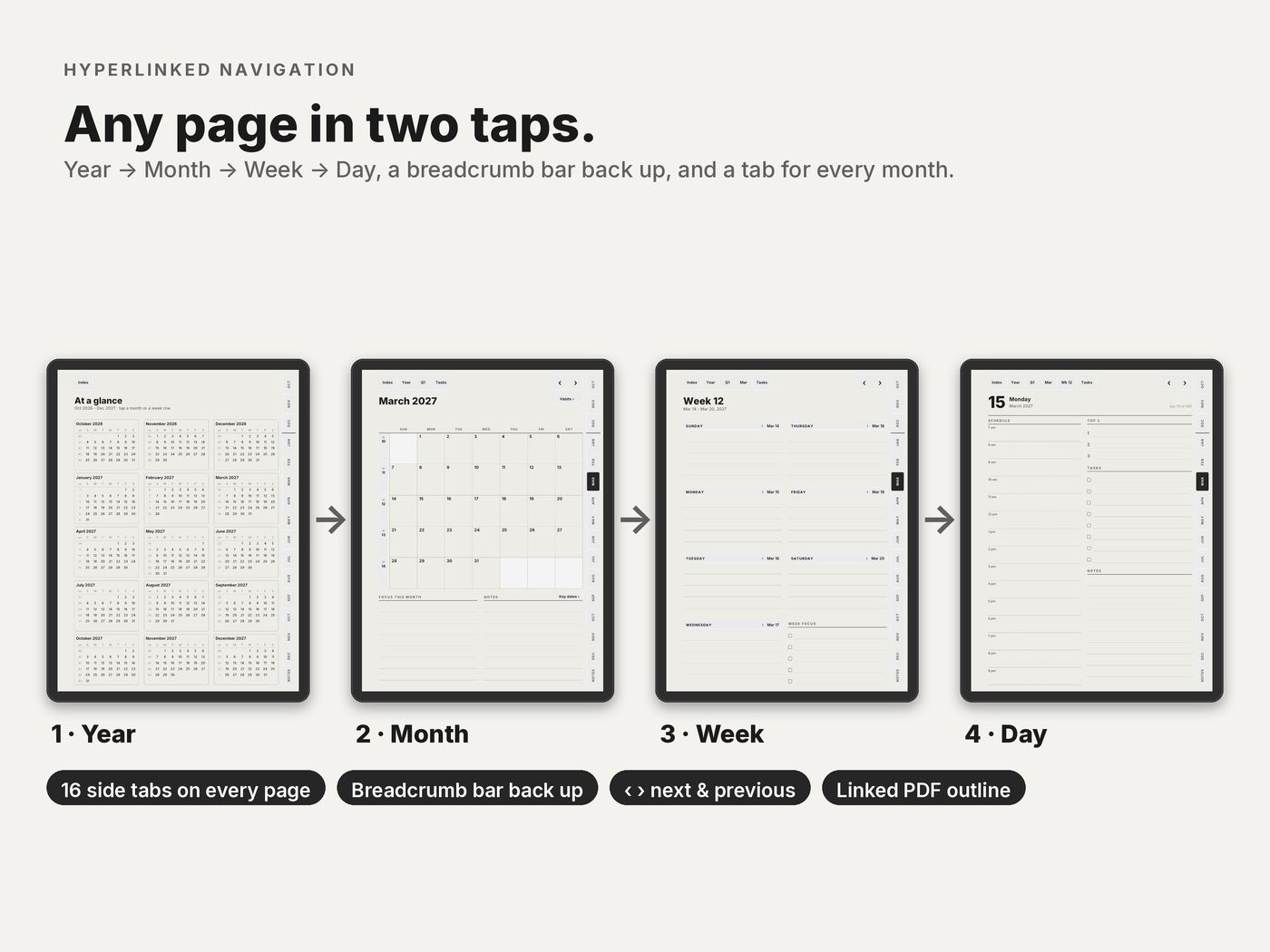
- Up and down year, month, week, day, and back up through the bar at the top of every page.
- Side tabs a tab for every month. ‹ and › flip by day, week or month.
- Two taps every page is at most 2 taps from the index.
- In date order swiping forward always moves forward in time.
Which file for your tablet
The all-device download has 18 PDFs: three layouts, three calendar editions, right- and left-handed. You only need one.
| Your tablet | Layout |
|---|---|
| reMarkable 2, Paper Pure, Paper Pro · Kindle Scribe, all generations · Supernote Manta · Boox Note Air, Tab Ultra, Note Max, Tab X · iPad | Large 3:4 |
| Supernote Nomad · Boox Nova Air, Tab Mini 7.8" | Compact 3:4, bigger text and wider rows |
| reMarkable Paper Pro Move | Move 9:16, drawn for the 7.3" screen, no text below 8 pt |
Also included: the Move Classic layout, version 1.1, for anyone who prefers the denser original Move pages.
Editions and hands
Each layout comes in three calendar editions, each right- and left-handed. Pick the one that matches how you plan.
| In the file name | Means |
|---|---|
_us_ | Weeks start on Sunday · 12-hour schedule, 9 am · dates like March 15, 2027 · US week numbers |
_intl_ | Weeks start on Monday · 24-hour schedule, 09:00 · dates like 15 March 2027 · ISO week numbers |
_intl12_ | Weeks start on Monday · 12-hour schedule, 9 am · dates like 15 March 2027 · ISO week numbers |
_right | Right-handed: tabs on the right edge, nothing to tap on the left side |
_left | Left-handed: everything mirrored, tabs on the left edge |
These editions are for the planner. Notebook files are named by paper and hand instead, for example dot_right or meeting_left.
Using it on iPad, Galaxy Tab and other apps
The planner is drawn for e-ink, but it works the same in note-taking apps on a colour tablet. Import the Large 3:4 file, write with the pen and tap links the way each app expects:
- iPad with GoodNotes: press and hold a link and choose Open Link, or switch to read-only mode.
- iPad with Notability: tap links with the hand tool or in view mode.
- iPad with Noteful: press and hold a link, with any tool.
- Samsung Galaxy Tab with Samsung Notes: import the PDF, switch to reading mode, the book icon, to tap links, and back to write.
- Android and Windows with Xodo: tap links in view mode, the hand icon.
On a 16:10 screen such as the Galaxy Tab, the 3:4 page leaves bars at the sides. Pages stay greyscale, which many people like on a colour screen too.
Step by step: iPad guide · Galaxy Tab guide · all setup guides.
Only planning on an iPad? The iPad & GoodNotes edition has just the Large 3:4 files and a one-page iPad setup sheet.
January edition: 1 January to 31 December 2027
The same planner starting on 1 January 2027, for anyone who wants a clean year: 12 months, 365 daily pages and no pages for months already over. Every tablet in one download, or only the files for yours.
Charged in USD at checkout.Charged in USD at checkout ($18.90); your bank converts at its rate.
Only one tablet? Buy just the files for it:
Paper Pro Move only · $10.90Supernote only · $10.90Kindle Scribe only · $10.90
Try it first: the January 2027 sample.
Setting it up, step by step: on a reMarkable, on a Kindle Scribe and on a Supernote.
Pairs with: the 2027 Reset Kit: look back on 2026, set three goals for 2027 and run a 30-day reset, for the same tablets.
2027 Reset Kit · $8.90
Close 2026, start 2027. Look back on the year in one page and twelve month pages, set three goals with four quarters each, and run a 30-day reset that starts on any day. Same tablets as the planner, plus iPad. 70 pages, 6,240 links checked.
Buy now · $8.90See the Reset Kit
Charged in USD at checkout.Charged in USD at checkout ($8.90); your bank converts at its rate.
Both together: the January edition and the Reset Kit in one download for $22.90 instead of $27.80 bought one by one.
January edition + Reset Kit · $22.90
Charged in USD at checkout.Charged in USD at checkout ($22.90); your bank converts at its rate.
Graphite Complete 2027: four sets + the 2027 Reset Kit, one download
This planner together with the notebook, the weekly planner, the journal and the 2027 Reset Kit, for every e-ink tablet, right- and left-handed. $34.90 instead of $54.50 bought one by one.
- Graphite Planner 2027: Every tablet, October 2026 to December 2027.
- Graphite Notebook: Undated, fourteen papers, a linked index.
- Weekly Planner 2027: Year, month and week, without daily pages.
- Daily Journal 2027: One dated page for every day of 2027.
- 2027 Reset Kit: Close 2026. Start 2027.
Charged in USD at checkout.Charged in USD at checkout ($34.90); your bank converts at its rate.
In German, French, Swedish or Spanish
The same planner with day and month names, page titles and buttons in German, French or Swedish, a Monday start and a 24-hour schedule.
One download has both editions, October 2026 to December 2027 and the January edition from 1 January to 31 December 2027, in all three languages and for every e-ink tablet: Deutsch · Français · Svenska edition.
Also in Spanish: the January edition, 1 January to 31 December 2027, for every e-ink tablet, right- and left-handed: Español edition ($10.90).
Good to know
- You need a tablet or app that opens PDFs and follows PDF links. reMarkable needs software 3.3 or later.
- Public holidays are not printed, so it works in any country.
- Designed in greyscale for e-ink; it looks the same on colour screens.
- Personal-use licence: use it on all your own devices and print pages for yourself; please don't share or resell.
More from the collection
More planners and notebooks
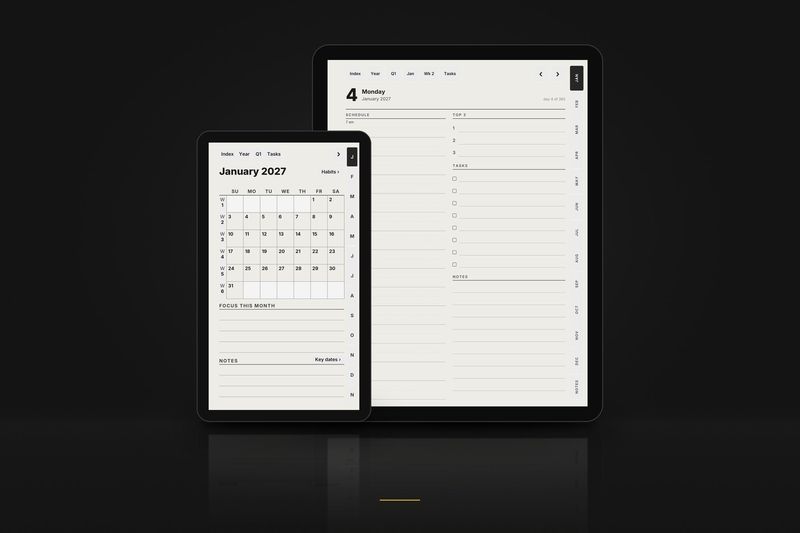
1 January to 31 December 2027
Graphite Planner 2027, January edition
The planner from 1 January 2027.
$18.90
Read more
Guides and articles
Article
2027 planner for reMarkable: October start or January start, which one to pick
The same planner from 1 October 2026 or from 1 January 2027: what changes, who each one suits, and the file for each reMarkable.
Read the article
Article
How to choose a 2027 planner for reMarkable, Kindle Scribe, Supernote or Boox
Dated or undated, daily or weekly, file size and speed, and a checklist to run on any sample before you buy.
Read the article
Article
Hyperlinked PDF planners explained: links, testing and layouts
What a PDF link is, how links get verified, a three-tap test for any sample, left-handed layouts and screen shapes.
Read the article
More help: all articles · setup guides.