Setup guide
How to put a PDF planner or notebook on your iPad
On an iPad, a PDF planner lives inside a note app: GoodNotes, Notability or Noteful. You import the PDF once as a new document, write on it with Apple Pencil and tap its links to move around. The pages are drawn for e-ink, in greyscale, and work the same on a colour screen.
1. Pick the right file
| Model | Screen | Edition |
|---|---|---|
| iPad Air 11-inch (M4) | 11" · 1640×2360 · 3:4.3 | Large 3:4 in an app |
| iPad Air 13-inch (M4) | 13" · 2048×2732 · 3:4 | Large 3:4 in an app |
| iPad (A16) | 11" · 1640×2360 · 3:4.3 | Large 3:4 in an app |
| iPad Air 11-inch (M3) | 11" · 1640×2360 · 3:4.3 | Large 3:4 in an app |
| iPad Air 13-inch (M3) | 13" · 2048×2732 · 3:4 | Large 3:4 in an app |
| iPad Pro 11-inch (M5) | 11" · 1668×2420 · 3:4.35 | Large 3:4 in an app |
| iPad Pro 13-inch (M5) | 13" · 2064×2752 · 3:4 | Large 3:4 in an app |
| iPad Pro 11-inch (M4) | 11" · 1668×2420 · 3:4.35 | Large 3:4 in an app |
| iPad Pro 13-inch (M4) | 13" · 2064×2752 · 3:4 | Large 3:4 in an app |
| iPad mini (A17 Pro) | 8.3" · 1488×2266 · 2:3 | Large 3:4 in an app |
| iPad (10th generation) | 10.9" · 1640×2360 · 3:4.3 | Large 3:4 in an app |
Use the Large 3:4 files on every iPad. The 13 inch iPad Air and iPad Pro have a 3:4 screen, so the page fills it. The 11 inch models are slightly taller and show thin bars, and the iPad mini is narrower, about 2:3, so the bars are wider.
Then choose the edition and the hand:
| In the file name | Means |
|---|---|
_us_ | Weeks start on Sunday · 12-hour schedule, 9 am · dates like March 15, 2027 · US week numbers |
_intl_ | Weeks start on Monday · 24-hour schedule, 09:00 · dates like 15 March 2027 · ISO week numbers |
_intl12_ | Weeks start on Monday · 12-hour schedule, 9 am · dates like 15 March 2027 · ISO week numbers |
_right | Right-handed: tabs on the right edge, nothing to tap on the left side |
_left | Left-handed: everything mirrored, tabs on the left edge |
These editions are for the planner. Notebook files are named by paper and hand instead, for example dot_right or meeting_left.
2. Copy it to your tablet
- Download the file in Safari on the iPad. It lands in the Files app, in Downloads.
- If it is a zip file, tap it once in Files and it unzips into a folder. The note apps do not import zip files.
- Or send the PDF from a Mac with AirDrop and save it to Files.
GoodNotes
In the Documents tab, tap + New, then Import, and pick the PDF. Or open the PDF in Files, tap Share and choose GoodNotes. Import it as a new document, not into an existing notebook, so the links keep working.
Notability
In the library, press and hold + New, choose Import and pick the PDF from Files, or from Dropbox, Google Drive or OneDrive.
Noteful
Tap +, choose Import, then Import PDF, and pick the planner. When Noteful asks, import it as a hyperlinked notebook.
3. Open it and follow the links
- GoodNotes: tap a link. GoodNotes support says a tap opens it on iPad. If your tool writes instead, switch to read-only mode and tap again.
- Notability: the eraser, lasso and hand tools follow a link at once. With the pen or highlighter, Notability asks first, and you confirm.
- Noteful: press and hold the link. It opens with any tool selected.
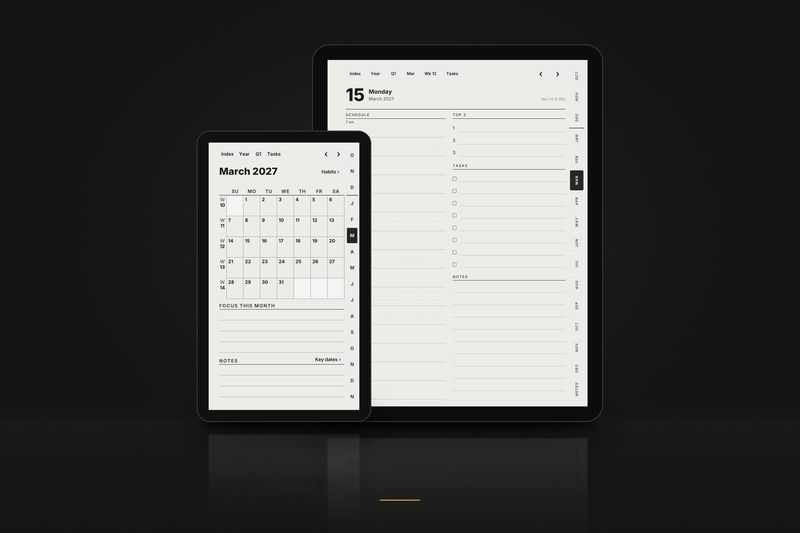
In the planner, the bar at the top takes you up a level: Index, Year, Quarter, Month, Week. The tabs on the side open each month, and ‹ › flip to the previous or next day, week or month.
4. Write on the pages
Write with Apple Pencil, sold separately, on any page. Each app has its own pens, highlighters and eraser. To keep a clean copy, leave the original PDF in Files and import it again whenever you want a fresh start.
Keep the original PDF on your computer as a clean backup. To start over, or to begin a fresh notebook, copy it again under a new name.
5. If something looks wrong
- A link does nothing.
- In GoodNotes, switch to read-only mode. In Notability, choose the hand tool. In Noteful, press and hold instead of tapping. If links still do nothing, the PDF was probably imported into an existing notebook: delete it and import it again as a new document.
- There are bars above and below the page.
- The planner is drawn at 3:4, and most iPad screens are a little taller. The bars are empty screen, not part of the page, and every link still sits where it should. Zoom in a little if you want the page to fill the width.
- Can I use it on an iPhone?
- The apps open it, but the page is drawn for a tablet and the cells are small on a phone.
- The tabs are under my hand, or under the toolbar.
- Switch between the
_rightand_leftversions. The side opposite the tabs never has anything to tap. - I'd like Monday, or Sunday, as the first day of the week.
- Use another planner edition:
_intl_and_intl12_start on Monday, with a 24- or 12-hour clock;_us_starts on Sunday.
6. How sure we are
Every model gets one of these labels, based on what owners, the maker and established reviewers have published. Nothing here is a guess dressed up as a test.
- Documented by the makeriPad (10th generation) · iPad (A16) · iPad Air 11-inch (M3) · iPad Air 13-inch (M3) · iPad Air 11-inch (M4) · iPad Air 13-inch (M4) · iPad Pro 11-inch (M4) · iPad Pro 13-inch (M4) · iPad Pro 11-inch (M5) · iPad Pro 13-inch (M5) · iPad mini (A17 Pro)The maker documents pen writing on PDFs, and following internal PDF links is documented by the maker or by established reviewers or planner sellers for this model or its software.
This guide is based on:
- Goodnotes Support: Open hyperlinks in imported PDFs
- Goodnotes Support: Import files into Goodnotes
- Notability Support: Importing files
- Being Paperless: Notability as a PDF reader
- K Digital Studio: importing a planner into GoodNotes and Noteful
Free samples
Planner, October 2026. All of October: the month, its habit tracker, every week and every day, with every link working. Files for the Large, Compact and Move layouts.
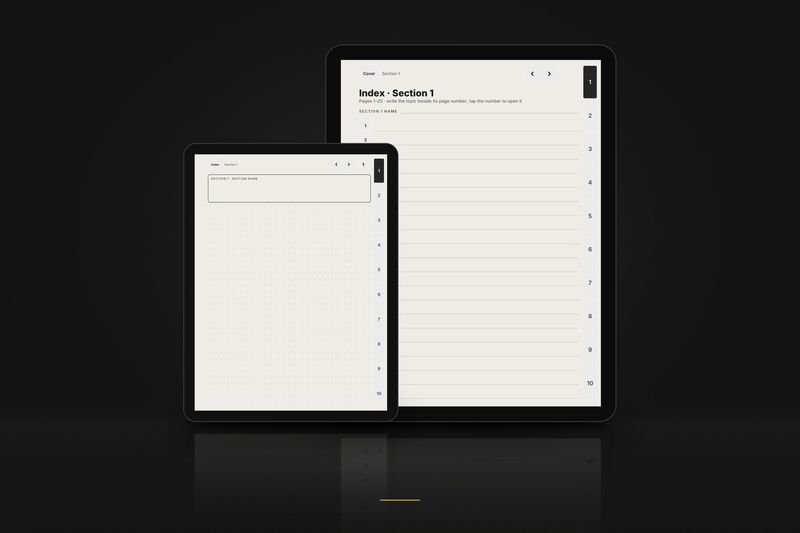
Notebook, 3 pages. The cover, the index of section 1 and page 1, in dot grid, right-handed. Files for the Large, Compact and Move layouts. Buttons that lead outside these 3 pages are printed but do nothing.
The full samples arrive by email. Tiny 3-page samples for each layout download directly from the free samples page, no email needed.
Every Apple iPad model with its edition and compatibility: the Apple iPad page.
Model pages:
Guides for other tablets: