
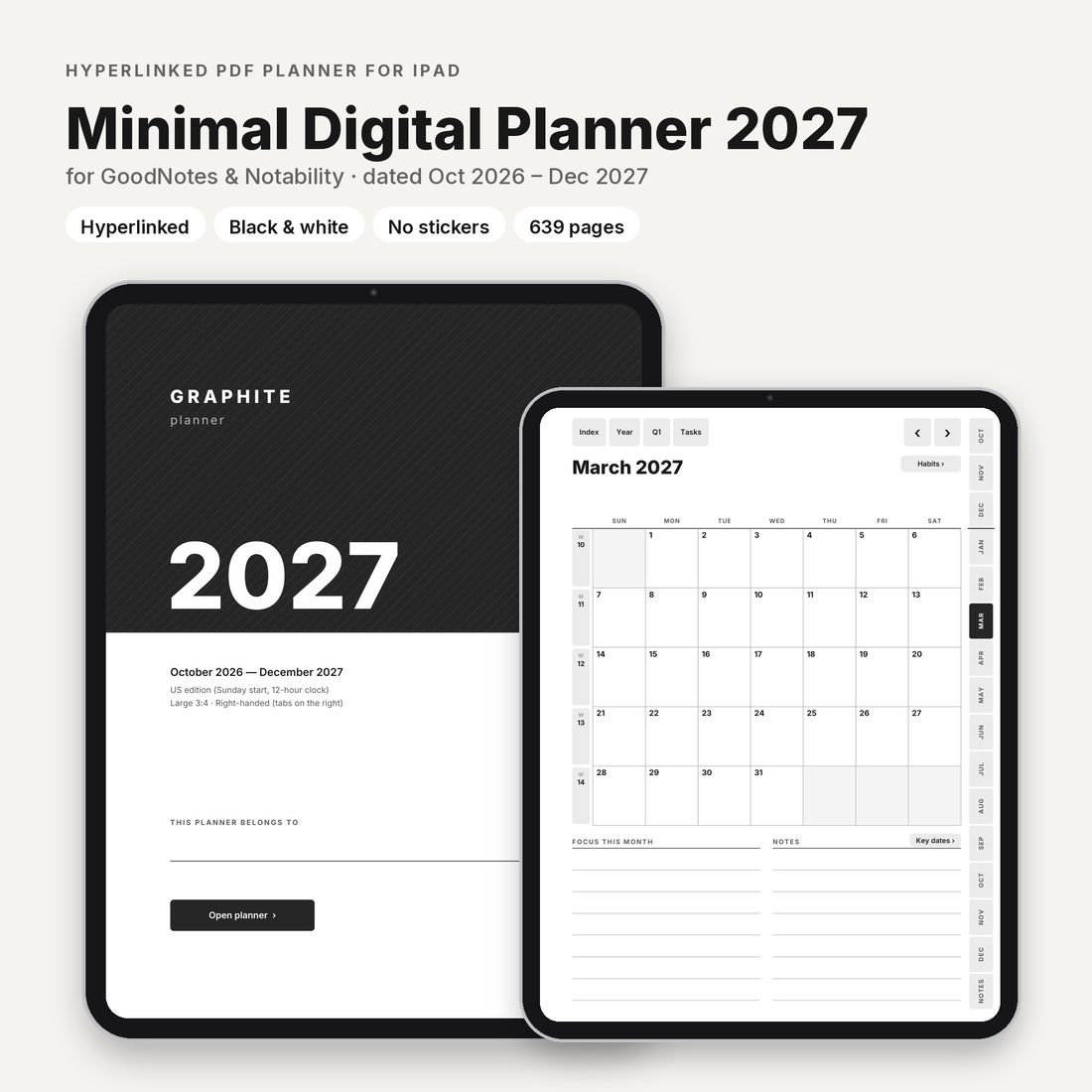
Dated · October 2026 to December 2027
Graphite Planner 2027 · iPad & GoodNotes edition
A minimal dated planner for iPad, October 2026 to December 2027. Works in GoodNotes, Notability, Noteful and Xodo.
- iPad
$18.90
Charged in USD at checkout.Charged in USD at checkout ($18.90); your bank converts at its rate.
Try a tiny free sampleLarge
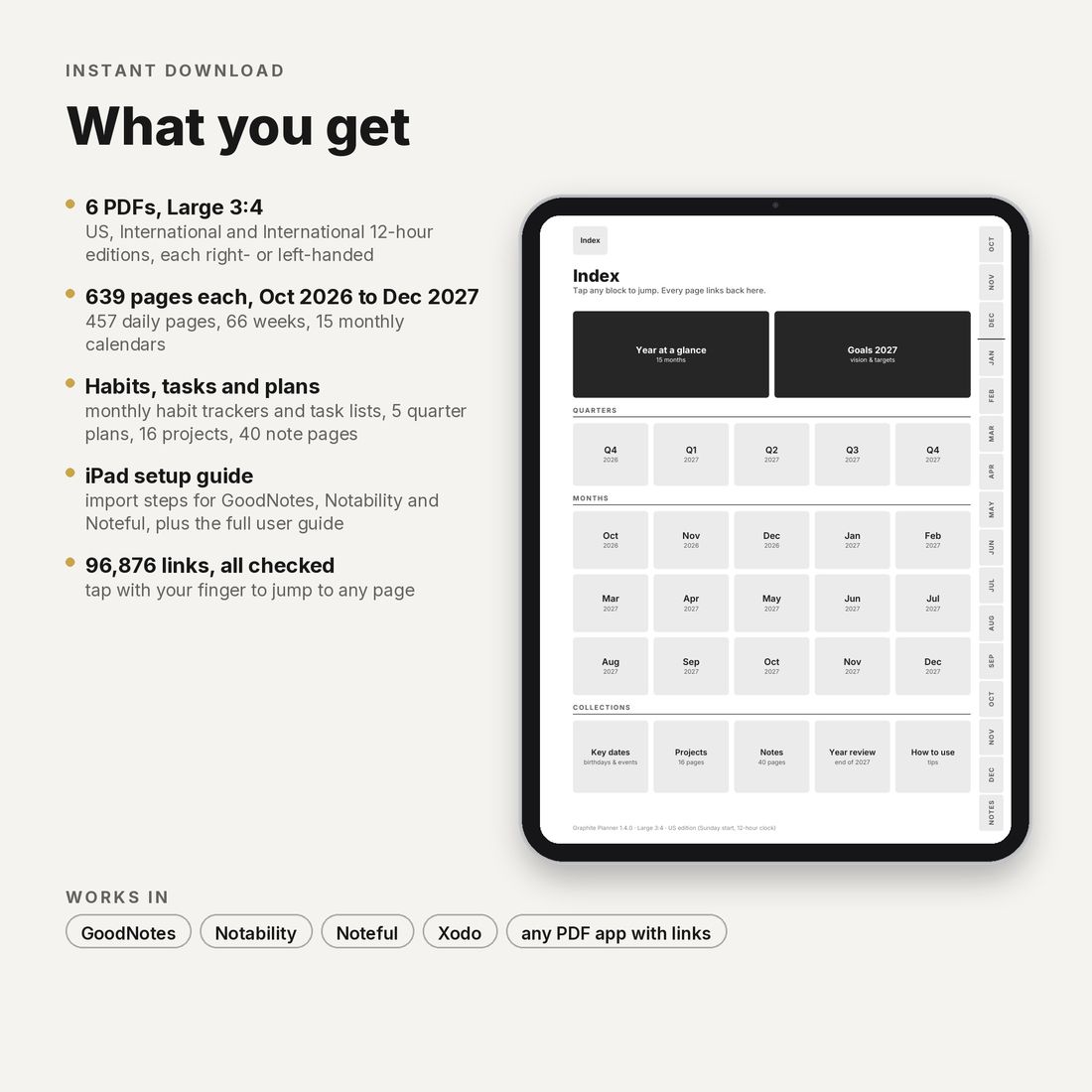
- 6 PDFs: 3 editions × 2 hands, Large 3:4
- 639 pages per file
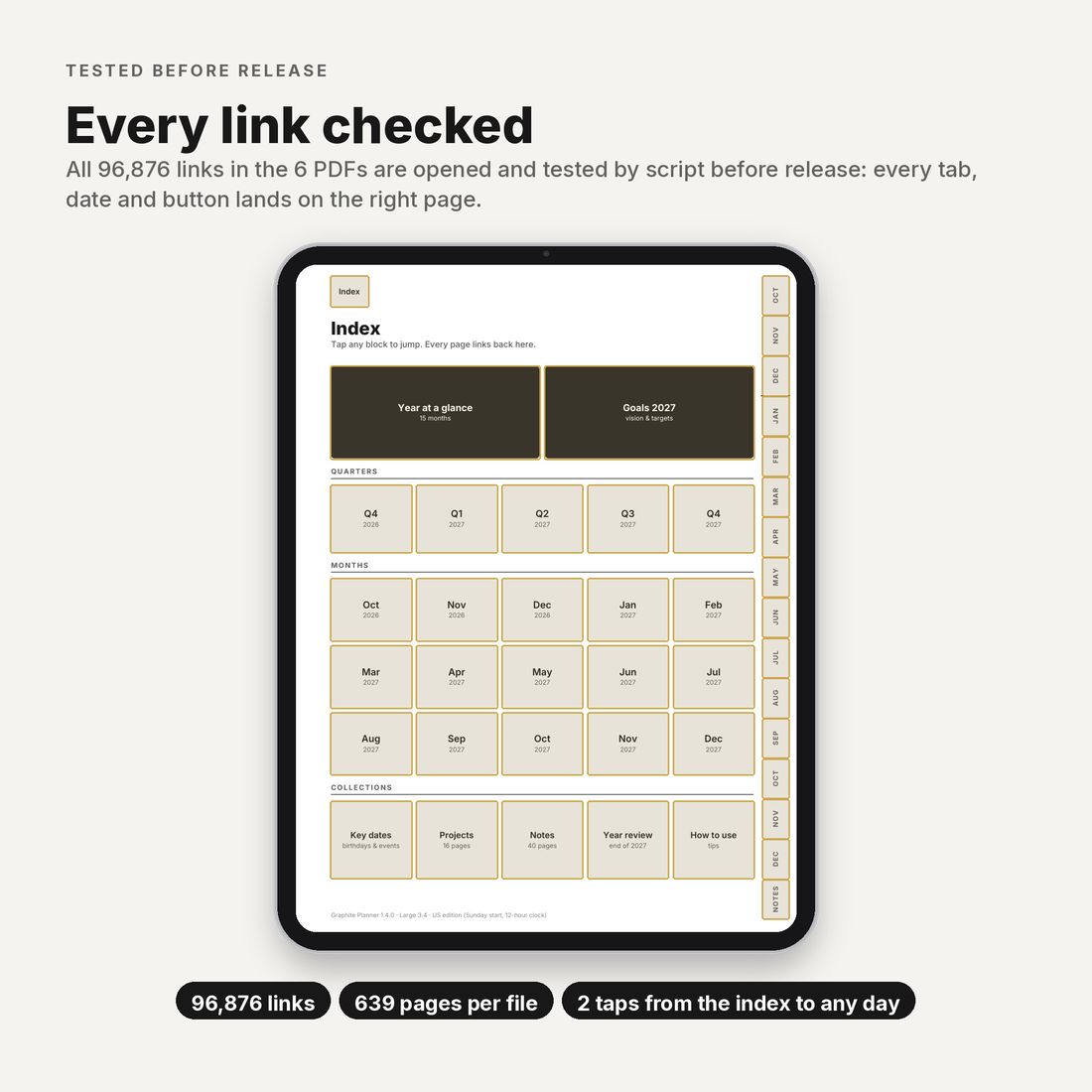
- 96,876 links checked before release
- Files of about 2 MB, vector only
Instant download · Personal-use licence · For GoodNotes, Notability, Noteful and Xodo
A planner for people who hate cluttered planners
- Nothing but the planner. Black and white pages with no stickers, no colour themes and no decoration, for anyone who finds most digital planners too busy.
- Links that work. All 96,876 links in the 6 files are checked by script before release.
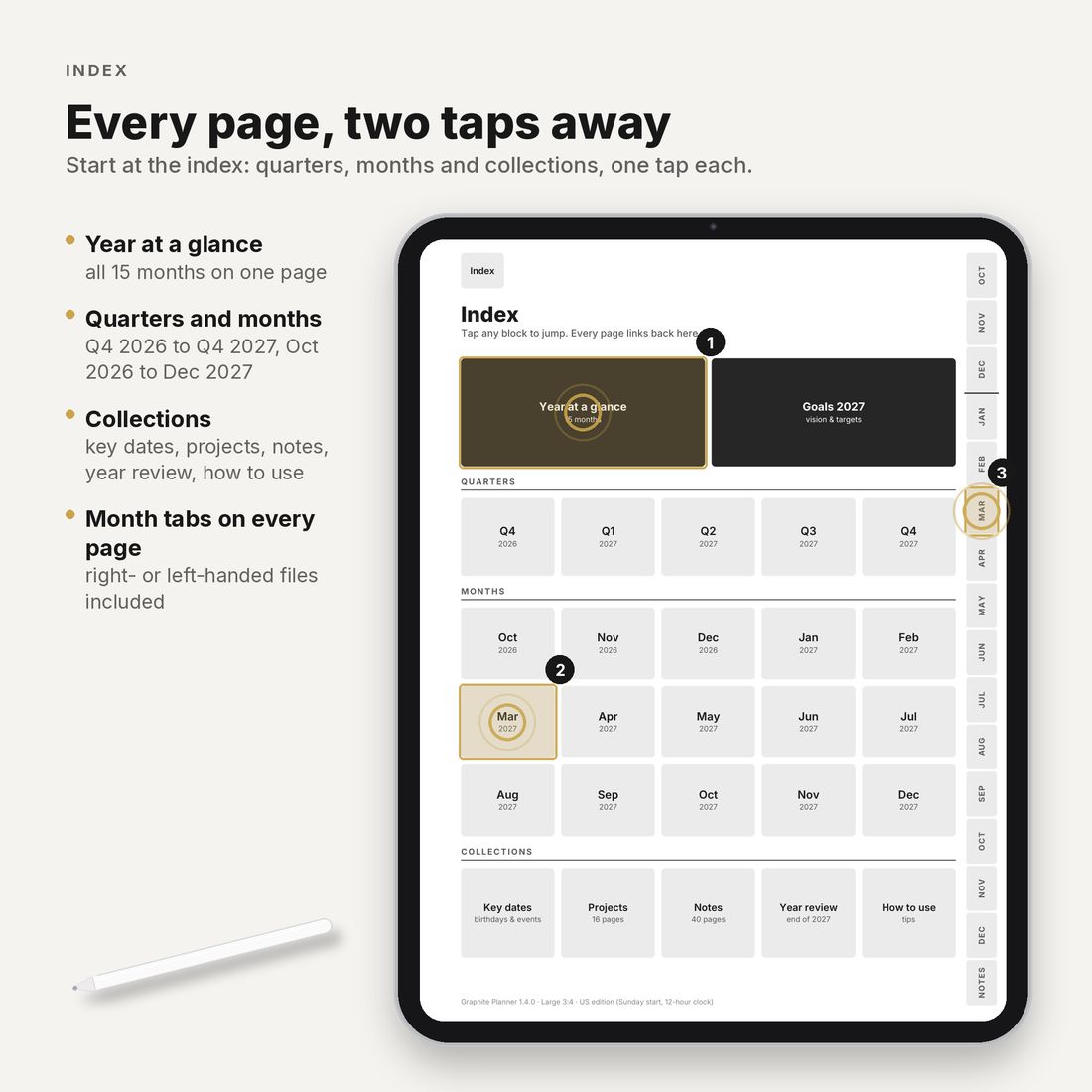
- Two taps to any page. Year, month, week and day link to each other, and every page is at most two taps from the index.
- Your app. GoodNotes, Notability, Noteful and Xodo, or any app that keeps PDF links.
- Right- and left-handed versions. The month tabs sit on the right or on the left edge.
- Instant download. Pay here and download straight away; the link also comes in your email receipt.
What's inside each file
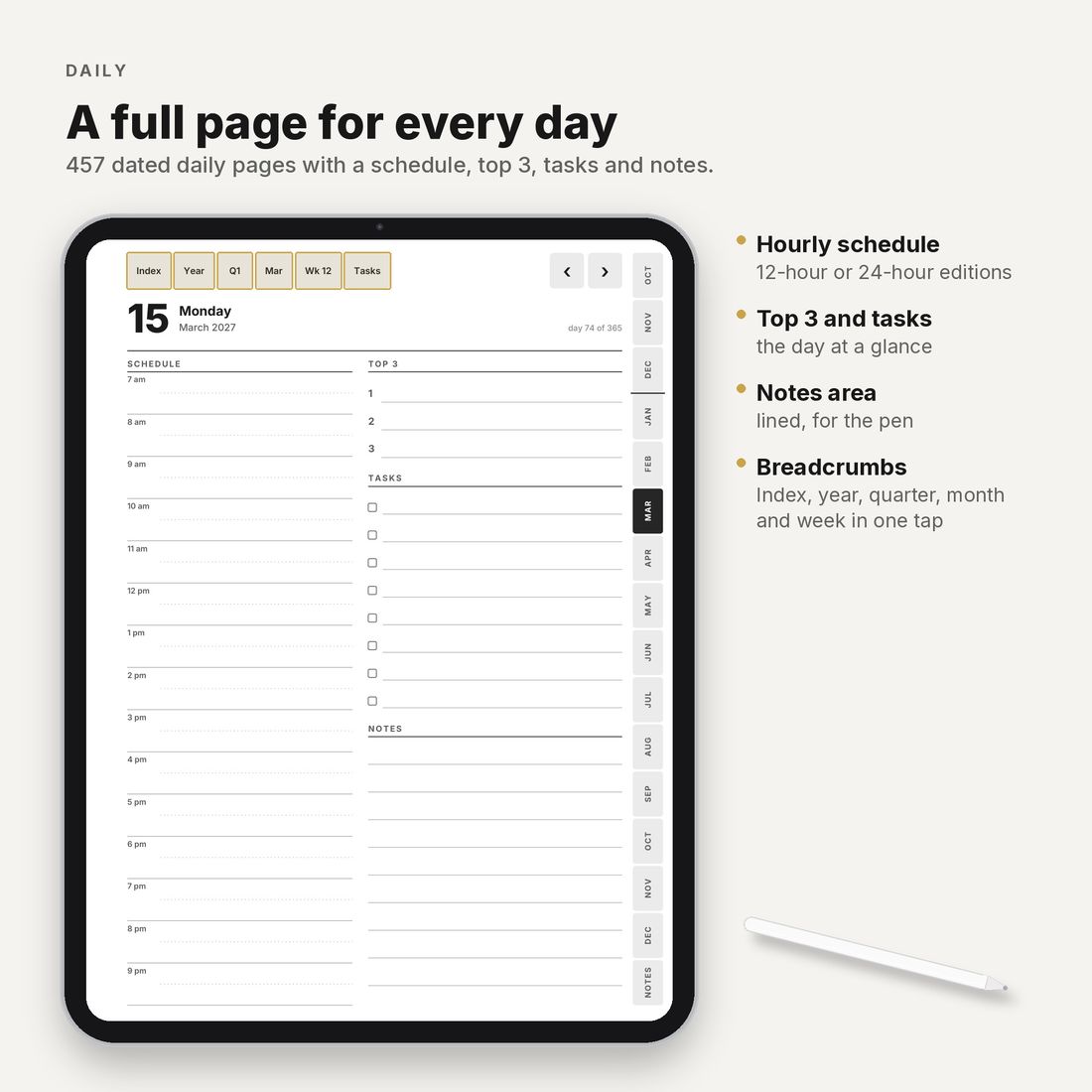
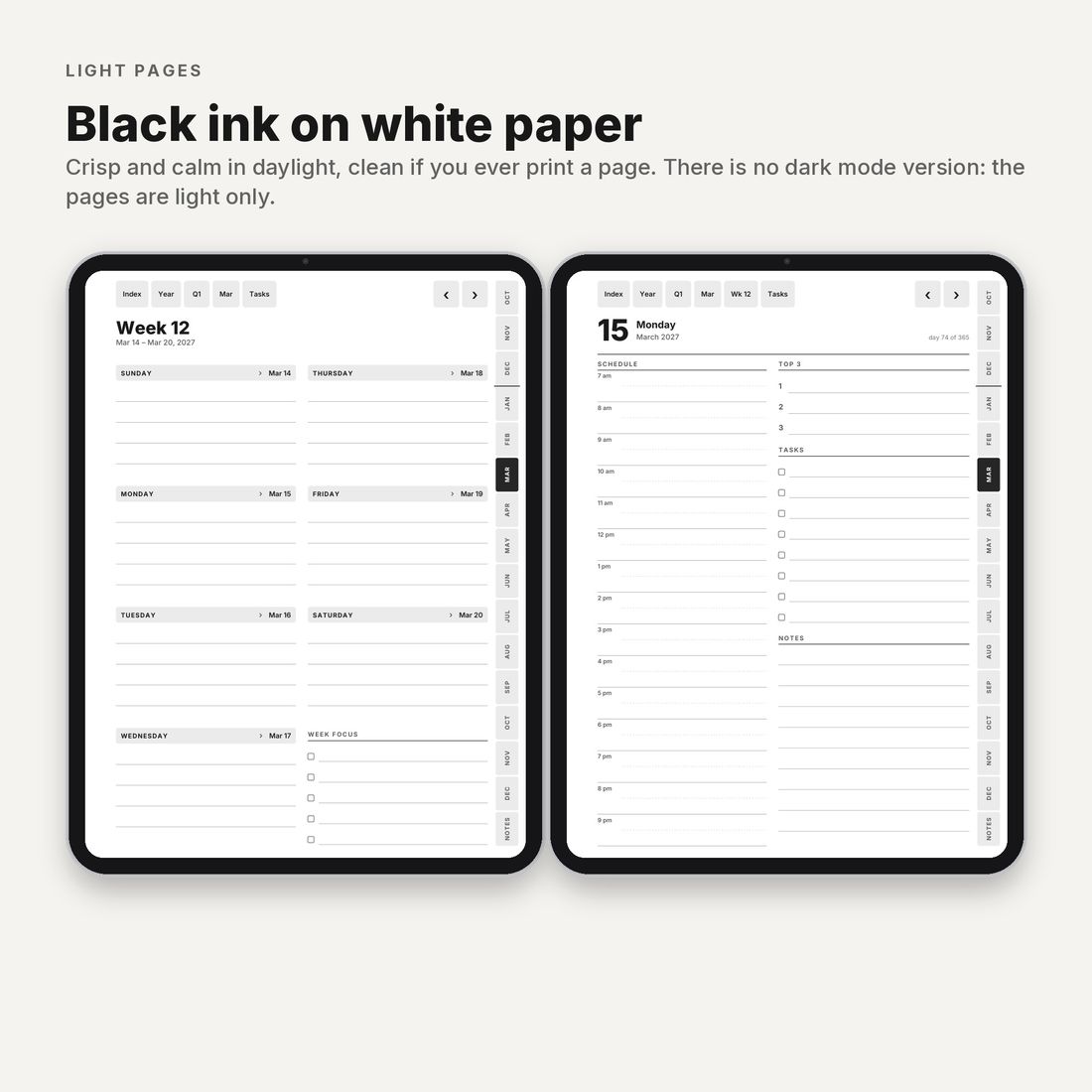
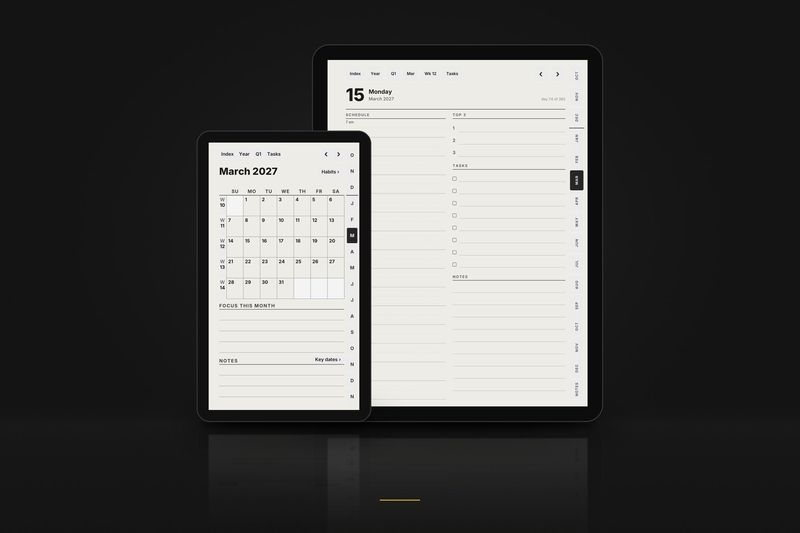
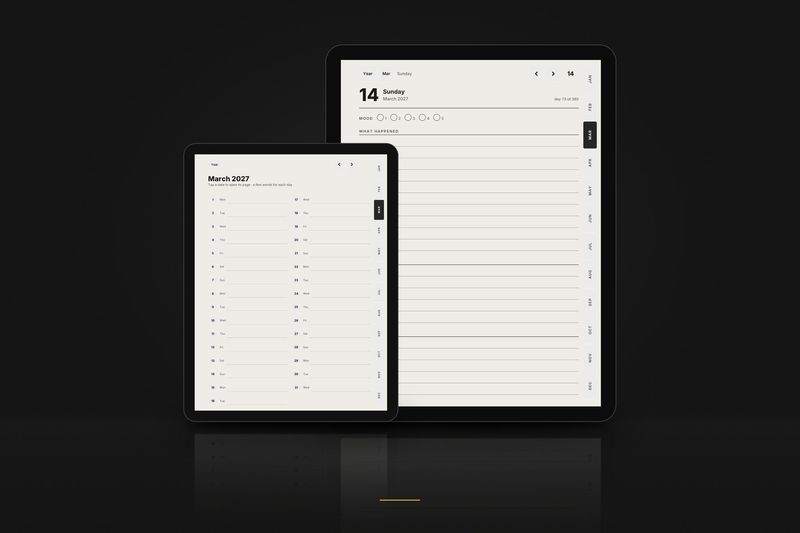
- 457 daily pages 1 October 2026 to 31 December 2027: hourly schedule, top 3, tasks and notes.
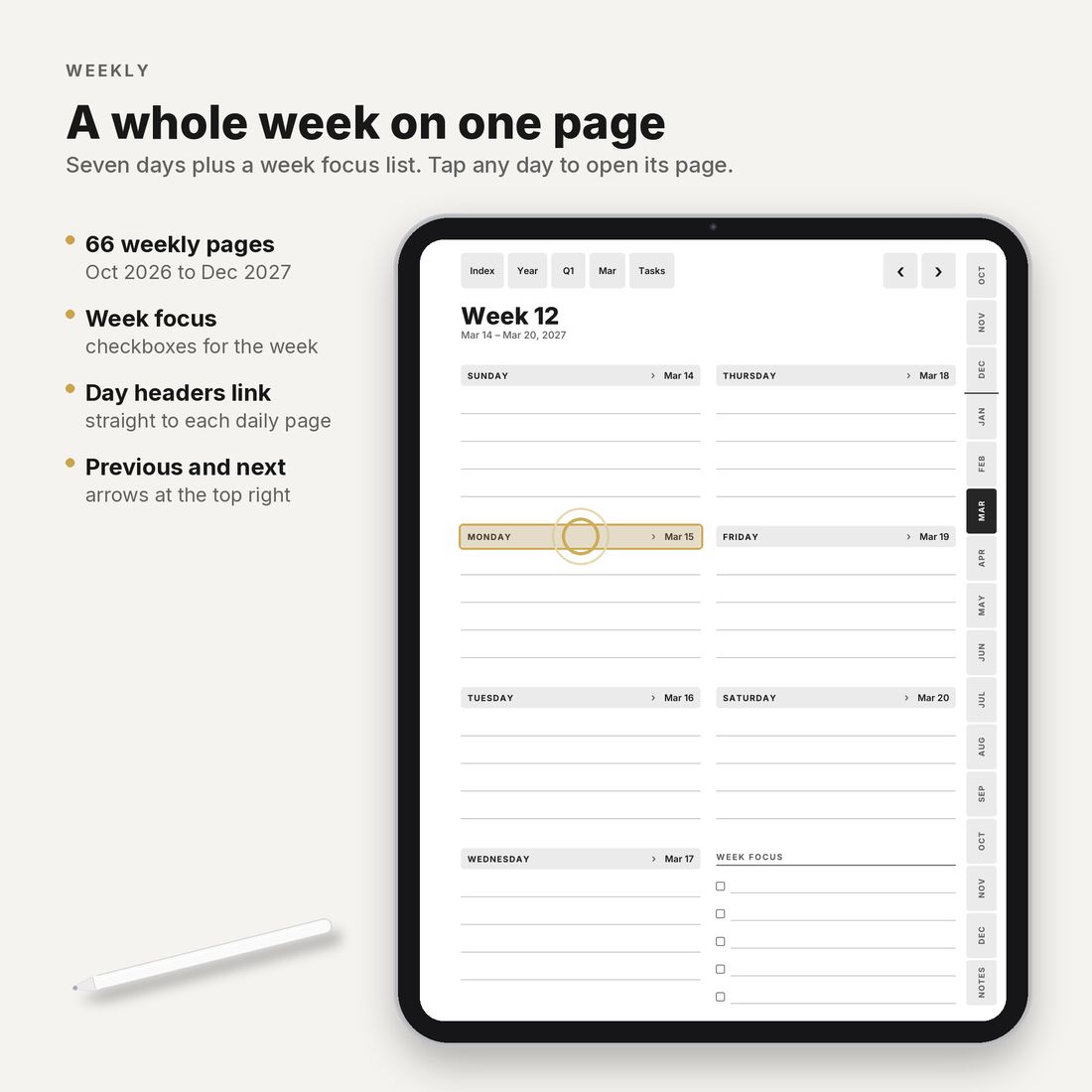
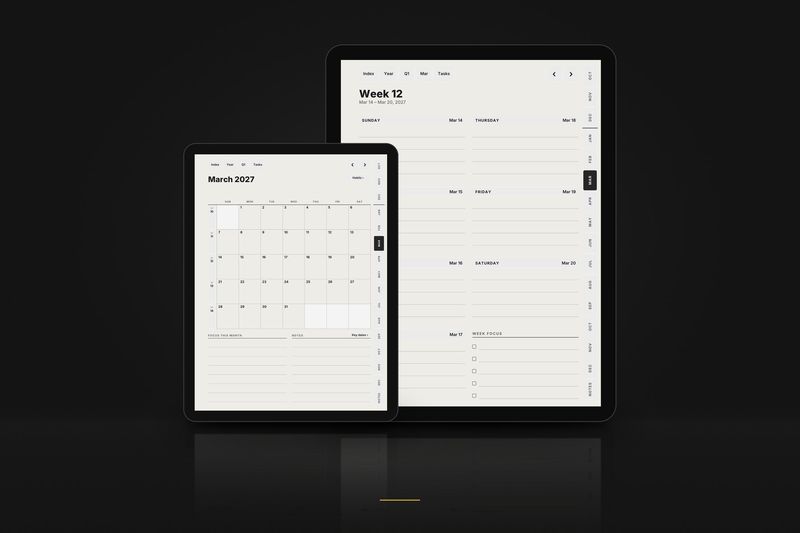
- 66 weekly pages with a focus list.
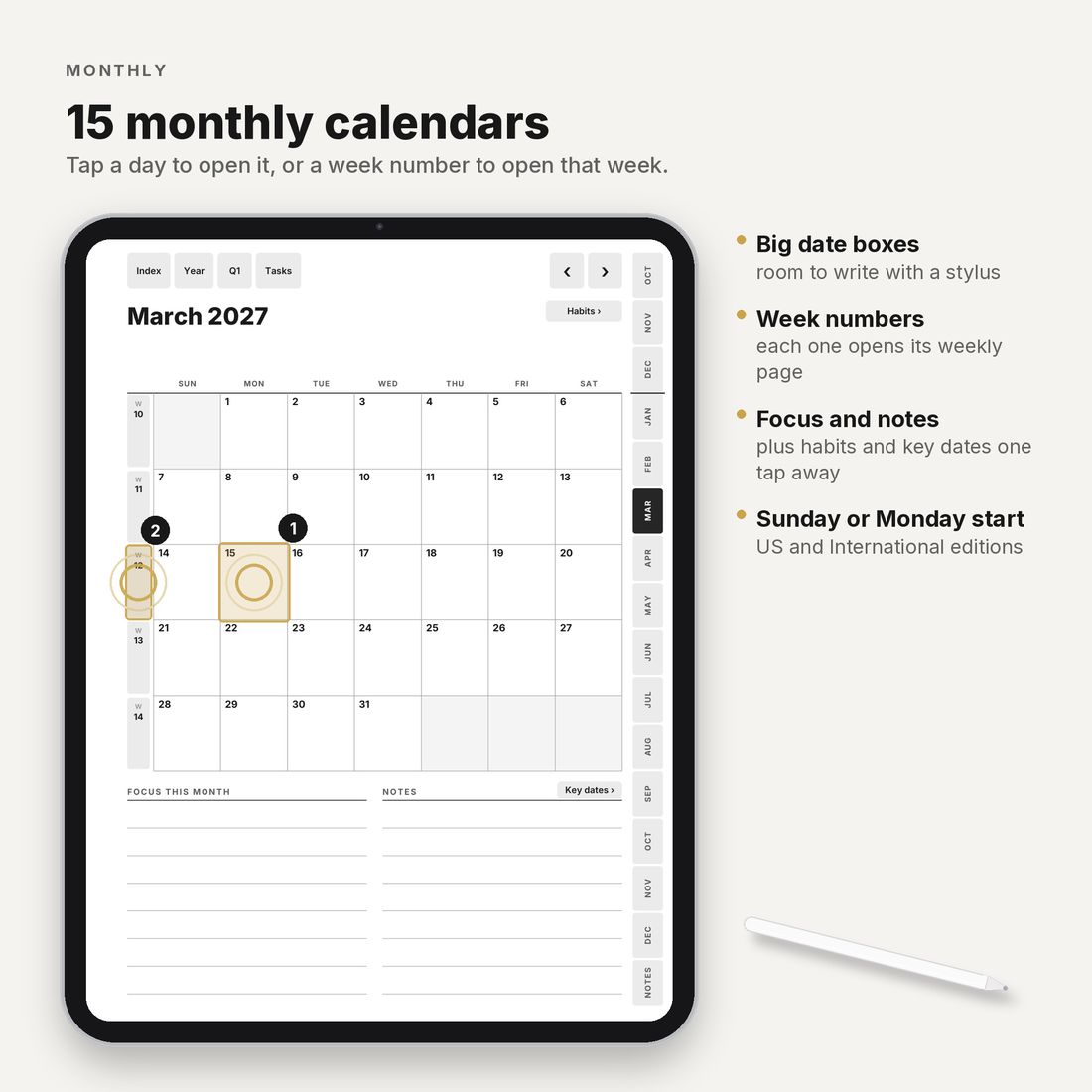
- 15 monthly calendars and 15 monthly habit trackers.
- 15 monthly task pages one tap from the top bar of any day, week or month page.
- Year and goals year at a glance, goals for 2027, key dates on 2 pages and 2027 in review.
- 5 quarter plans Q4 2026 to Q4 2027, with goals and reviews.
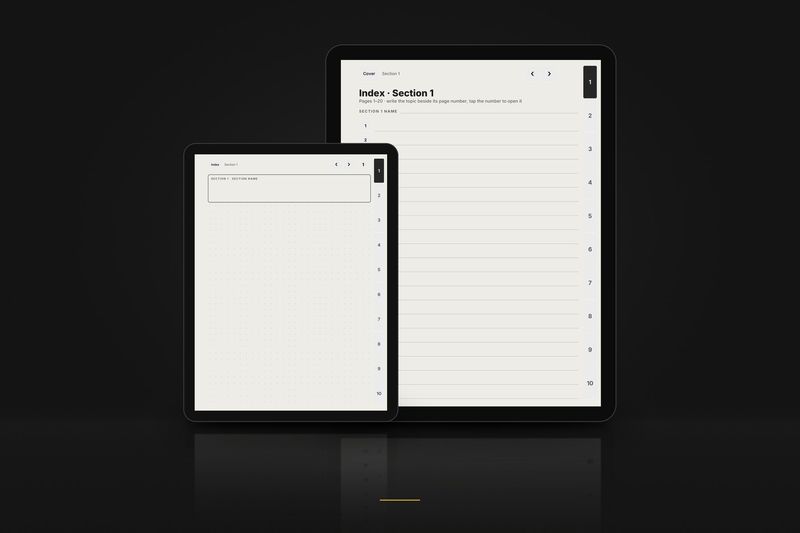
- 16 project pages and 40 dot-grid note pages each set with a linked index.
Getting around
- Up and down year, month, week, day, and back up through the bar at the top of every page.
- Side tabs a tab for every month. ‹ and › flip by day, week or month.
- Two taps every page is at most 2 taps from the index.
- In date order swiping forward always moves forward in time.
Which file to use
The download has 6 PDFs in the Large 3:4 layout: three calendar editions, each right- and left-handed. You only need one.
| In the file name | Means |
|---|---|
_us_ | Weeks start on Sunday · 12-hour schedule, 9 am · dates like March 15, 2027 · US week numbers |
_intl_ | Weeks start on Monday · 24-hour schedule, 09:00 · dates like 15 March 2027 · ISO week numbers |
_intl12_ | Weeks start on Monday · 12-hour schedule, 9 am · dates like 15 March 2027 · ISO week numbers |
_right | Right-handed: tabs on the right edge, nothing to tap on the left side |
_left | Left-handed: everything mirrored, tabs on the left edge |
Import it in two minutes
- GoodNotes: save the PDF to the Files app, open it there, tap Share, choose GoodNotes and then Import as New Document.
- Notability and Noteful: the same way, with Share in the Files app, or with Import inside the app.
- Xodo and other PDF apps: open the PDF from Files.
- Write with your pen and tap the links with your finger. If a finger tap draws instead, set the app so that only the pen writes, or switch to its read-only mode while you move around.
The download includes a one-page iPad setup sheet and the full user guide. Step by step, app by app: iPad guide.
On your iPad screen
- The 3:4 page fills the screen of a 12.9 or 13 inch iPad.
- On 11 inch models, the iPad Air and the iPad mini, a thin band remains above and below the page.
- Light pages only: black ink on white paper. There is no dark mode version.
Good to know
- The pages are the same as the Large 3:4 files of the all-device Graphite Planner 2027. If you own that planner, you already have them.
- Public holidays are not printed, so it works in any country.
- The planner pages are in English.
- Personal-use licence: use it on all your own devices and print pages for yourself; please don't share or resell.
Questions
- A link does nothing, or my tap draws a line.
- Tap with your finger, not the pen. If the app still draws, set it so that only the pen writes, or use its read-only mode. If links never work, the PDF was probably imported into an existing notebook: import it again as a new document.
- I'd like Monday, or Sunday, as the first day of the week.
- Use another planner edition:
_intl_and_intl12_start on Monday, with a 24- or 12-hour clock;_us_starts on Sunday. - Can I use it on an iPhone?
- The apps open it, but the page is drawn for a tablet and the cells are small on a phone.
More from the collection
More files that work on iPad
Drawn in greyscale for e-ink. Their Large 3:4 files open in the same apps.
Read more
Guides and articles
Article
Digital planner 2027 for GoodNotes: why a minimal black-and-white layout works better on iPad
Why plain black-and-white pages suit GoodNotes on iPad, what to check in any 2027 planner, and how to import one so its links work.
Read the article
Article
Hyperlinked PDF planners explained: links, testing and layouts
What a PDF link is, how links get verified, a three-tap test for any sample, left-handed layouts and screen shapes.
Read the article
Article
Left-handed planner for e-ink tablets: why tab placement matters
Why the tabs and the toolbar side matter for left-handed writers, what a mirrored file changes, and a quick test on any sample.
Read the article
More help: all articles · setup guides.