
Article
Supernote Manta and Nomad: a 2027 planner with working links
Supernote makes two current pen tablets, the 10.7 inch Manta and the 7.8 inch Nomad, and a planner page that suits one is not quite right for the other. This article explains the screen difference, which file goes on which tablet, how to copy it with the Supernote Partner app and where in Supernote the links work, using the January edition of the Graphite Planner, which runs from 1 January to 31 December 2027.
Two screens, one shape
| Your Supernote | Screen | Pixels | File |
|---|---|---|---|
| Manta | 10.7", 3:4 | 1920 × 2560, 300 ppi | Large 3:4 |
| Nomad | 7.8", 3:4 | 1404 × 1872, 300 ppi | Compact 3:4 |
Both screens are 3:4 and both are sharp, so any 3:4 page fits either one without bars. The difference is physical size. A page drawn for the Manta shrinks to about 73 percent on the Nomad: a 6 mm button becomes about 4.4 mm, and labels and writing rows shrink with it. Supernote lists both screens in its product comparison.
Large for the Manta
The Large 3:4 page is drawn for a 10.3 inch screen, so on the Manta it is shown about 4 percent bigger and fills the screen edge to edge. Each Manta file has 524 pages: 365 day pages with a schedule from 7 am to 9 pm, 53 week pages, 12 months with a habit tracker and a task page each, plans for Q1 to Q4, goals, key dates, 16 projects and 40 notes. The Manta has no front light, so the black and grey pages read best in daylight or under a lamp.
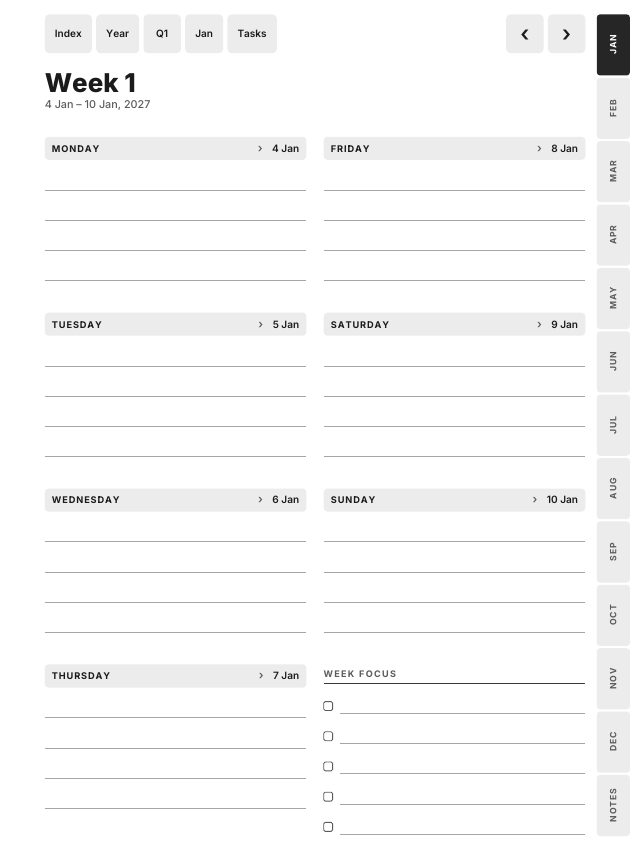
Compact for the Nomad
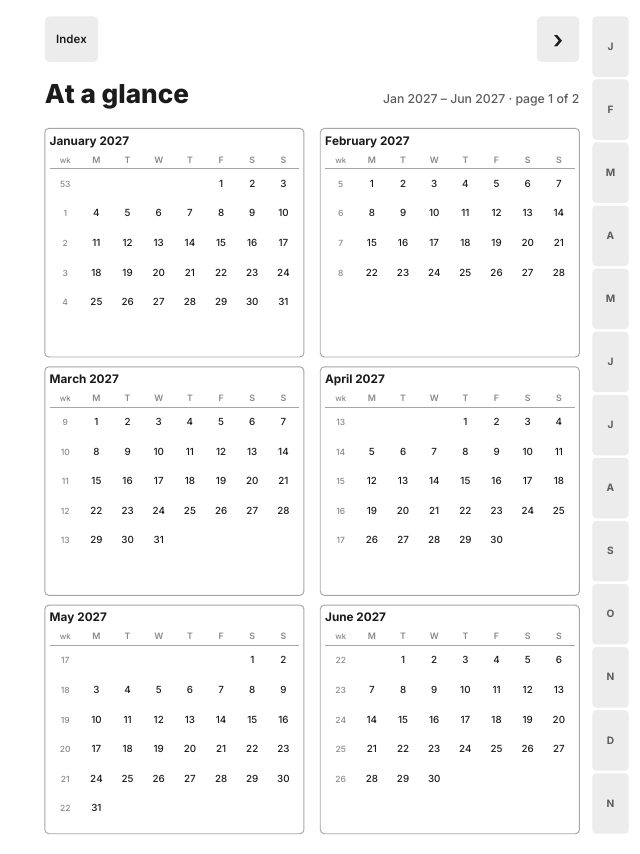
The Compact 3:4 layout is the same planner redrawn for a 7.8 inch page, so 1 mm on the page is 1 mm on the glass. Text stays readable, rows stay wide enough for a pen, and no link is smaller than 3.5 mm. Where a page would be cramped, it is split: the year at a glance takes two pages of six months instead of one, which is why the Compact file has 525 pages.
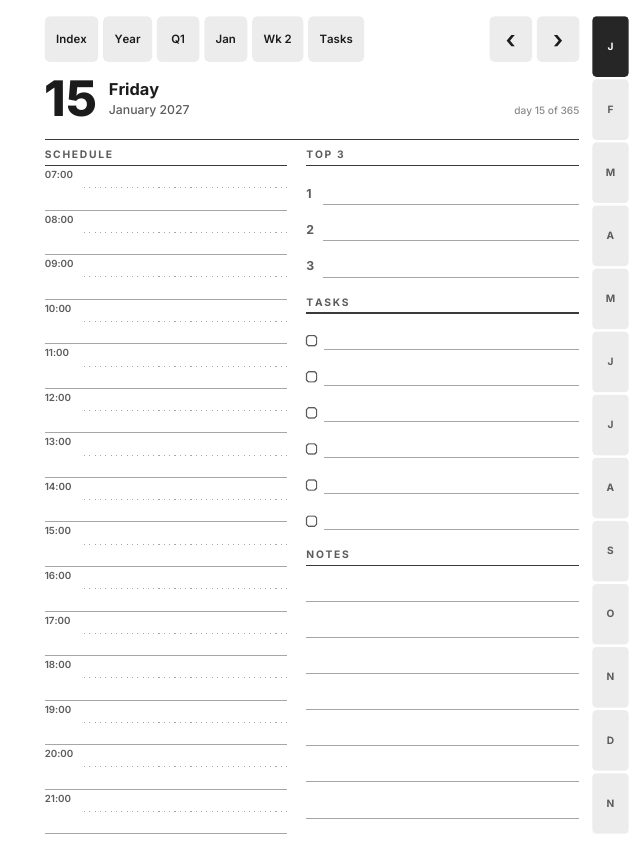
The day page keeps everything the Manta has: the schedule from 7 am to 9 pm, top 3, tasks and notes, with the top bar one tap from the week, the month and the Index.
If you own both tablets, use both files. The Supernote edition comes as two zips, one per model, so there is no guessing.
Copying it with the Supernote Partner app
- Unzip the download and pick one PDF from the Manta zip or the Nomad zip: Sunday or Monday start, a 12-hour or 24-hour clock, right- or left-handed.
- Copy it to the tablet with the Supernote Partner app, through Supernote Cloud, or by USB.
- Put it in the Document folder to use it as a PDF, or in MyStyle to use its pages as note templates.
Where the links work
In the Document folder the planner stays one PDF, exactly as drawn. You write on every page with the pen, and links open with a finger tap. They also open with the pen once you pick the text-selection tool: Supernote fixed pen taps on links in software 3.23.32, released in March 2025. With the pen tool active, a pen tap writes.
MyStyle is the other route. A Nomad owner reported that on the current stable software a planner copied there is imported as a note template with working links and all the note features. That is an owner's report rather than a documented feature, so try it with the free sample first. Supernote's Use PDFs as Templates article sets one limit: a PDF cannot be the default template for new notebooks.
Whichever you choose, put the toolbar on the side away from the month tabs. In the right-handed files the left strip has nothing to tap, and the left-handed files swap sides.
A three-tap check
On the Index, tap Jan, then 15 on the month, then Index in the top bar. If the three taps land, the planner is ready. All 139,320 links in the 12 Supernote files are opened by three PDF readers and checked by script before release.
Only the dates differ from October
The January edition is the same design as the October start, with 12 months instead of 15 and no pages for the end of 2026, apart from the grey days of the first week: 1 January 2027 is a Friday, so the Monday-start week page begins on 28 December. The January edition comes for every tablet in one download or for Supernote only, and the Supernote page lists everything else drawn for the Manta and the Nomad. More on each model: Supernote Nomad planner and Supernote Manta planner 2027.
Frequently asked questions
- Which planner file goes on the Supernote Nomad?
- Compact 3:4. A Manta page fits the 7.8 inch screen but shrinks to about 73 percent, while the Compact page is drawn at the Nomad's own size.
- Do links work in a PDF planner on Supernote?
- Yes. In the Document folder, tap them with a finger, or with the pen after choosing the text-selection tool, on software 3.23.32 or later.
- Can I copy the planner with the Supernote Partner app?
- Yes. The Partner app, Supernote Cloud and a USB cable all work. Put the PDF in the Document folder, or in MyStyle for note templates.