
Article
A year review and 2027 goals on an e-ink tablet: which pages to use and how they link
The end of a year is a good time to do two things: look back at the year that is ending, and decide what the next one is for. On an e-ink tablet this works better when the pages are linked, because a review and a plan keep pointing at each other. This article walks through the pages that do the work, in the order you would use them, and shows how they connect in the 2027 Reset Kit.
Start with the year in one page
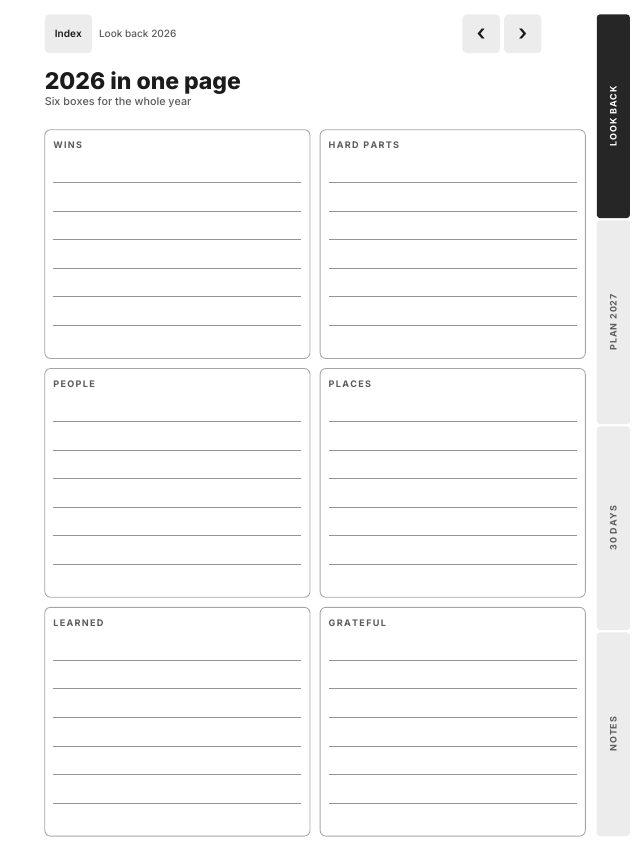
Before you count anything, get the whole year onto one page. 2026 in one page has six boxes: Wins, Hard parts, People, Places, Learned and Grateful. Fill them from memory first. What comes to mind without looking is usually what mattered.
Then go month by month. There is a page for each month of 2026, with a mood from 1 to 5, the best moment and what you would change. Your calendar, photos and messages help here: scroll through a month, then write. Twelve short pages take about an hour, and they often correct the one-page summary.
Three more pages finish the look back. Top 10 of 2026 lists the moments to remember. Numbers of 2026 is a table of ten things you counted, such as books, runs or savings, with a column to compare with 2025. Let go / Keep sorts what stays in 2026 from what comes with you.
From review to plan
The plan starts with three short pages that use what the review turned up. Word of the year asks for one word and what it will look like. The life wheel scores eight areas from 1 to 10: Health, Work, Money, Home, Family, Friends, Fun and Growth. Below it you write the strongest, the weakest and one change for 2027. A year from now asks you to describe 31 December 2027 as if it had already happened: what is different, what you finished, what you stopped doing.
These pages are not goals yet. They are the material for goals. The weakest area on the wheel and the list under Let go are usually where the goals come from.
Three goals, four quarters, and how they link
Top 3 goals has a button for each goal. Each goal page asks why it matters, what done looks like, four milestones with a box each, the first step, and the obstacles with a plan for each one.
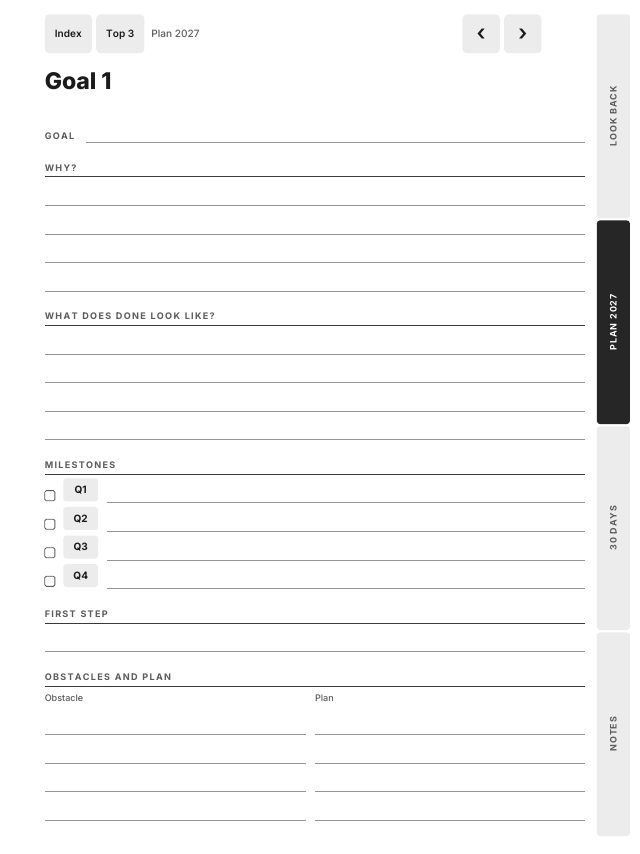
This is where the links do the real work. Next to each milestone is a Q1, Q2, Q3 or Q4 button that opens that quarter's page. Each quarter page has a button back to every goal, and space for the steps this quarter and notes. So in April you open Q2, see the three goals together, tap one to check its milestone, and come back. A year of planning becomes a loop you can walk in two taps, instead of pages you have to hunt for.
Not this year closes the plan: the things you are saying no to in 2027. It is the page people skip, and the one that keeps three goals possible.
A 30-day reset to start
Plans often fade in the second week of January. The third part of the kit is a 30-day reset with five habits. It has no printed dates, so you write a start date and begin on any day: 1 January, your birthday or next Monday.
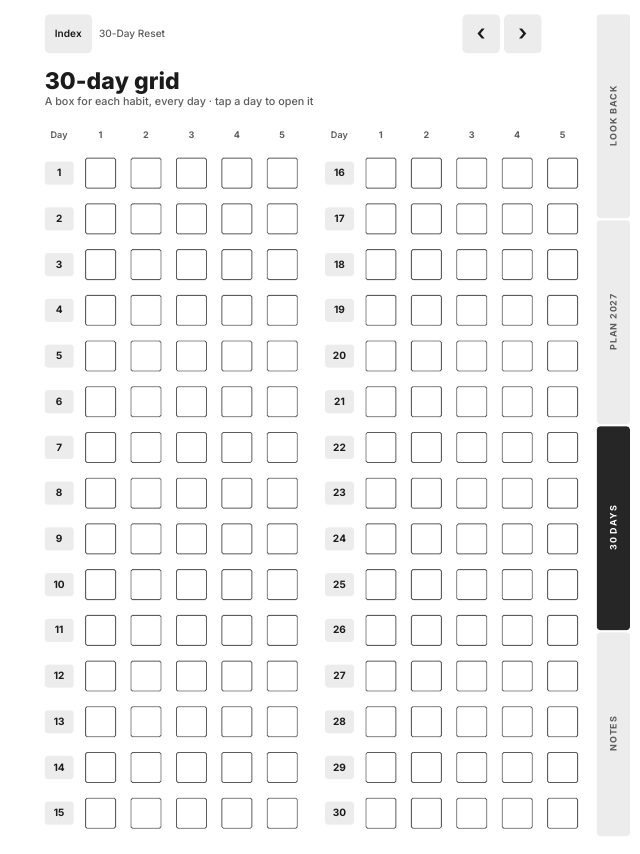
The 30-day grid has a box for each habit on every day, and each day number opens that day's page. A day page has the five habit boxes, a mood, one win and a line for tomorrow, with buttons to the day before and after. After day 10, day 20 and day 30 there is a review page: how many days you kept each habit, what worked, what got in the way, and what changes next.
Finding your way around
The Index lists every page as a button, and every page has Index at the top left. Four side tabs open each part: Look back, Plan 2027, 30 days and Notes. Any page is at most three taps from any other. All 6,240 links in the 10 files are opened by three PDF readers and checked by script before release.
Which file for your tablet
| Your tablet | File |
|---|---|
| reMarkable 2, Paper Pure, Paper Pro, Supernote Manta, Boox Note Air | Large 3:4 |
| Supernote Nomad, Boox 7.8 inch | Compact 3:4 |
| reMarkable Paper Pro Move | Move 9:16 |
| Kindle Scribe | Kindle Scribe, every link at least 10 mm from the top and side edges |
| iPad with GoodNotes, Notability or Noteful | iPad |
Each one comes right- or left-handed, and the left-handed file puts the tabs on the left. On a Kindle Scribe, send the PDF with Send to Kindle so you can write on it. On a reMarkable, import it as a document, not as a template.
When to do it
The look back takes an evening or two, and the plan another one. Many people do the review between Christmas and New Year and start the reset on 1 January. Only the 2026 month pages and the 2027 quarters carry dates, so a review in mid-January works just as well. The kit has 70 pages per file, about 0.15 MB, and it sits next to a planner rather than replacing one.
Frequently asked questions
- How long does a year review take?
- The look back in the Reset Kit is 16 pages: 2026 in one page, Top 10, a page for each month, Numbers of 2026 and Let go / Keep. Most people need one or two evenings for it, and one more for the plan.
- Does the 30-day reset have to start on 1 January?
- No. It has no printed dates. Write your start date on its first page and begin on any day.
- Can I use the Reset Kit on an iPad?
- Yes. It includes an iPad file for GoodNotes, Notability and Noteful, as well as Large, Compact, Move and Kindle Scribe files for e-ink tablets.