Setup guide
How to put a PDF planner or notebook on your Meebook
Meebook e-ink tablets run Android with Google Play, and their reader lets you draw on a PDF. Following the links inside a PDF is not documented for any Meebook, so the safe way to use a linked planner is Xodo, a free PDF app from Google Play.
1. Pick the right file
| Model | Screen | Edition |
|---|---|---|
| P10 Pro | 10.3" · 1200×1600 · 3:4 | Large 3:4 |
| P78 Pro | 7.8" · 1404×1872 · 3:4 | Compact 3:4 |
| M8 | 7.8" · 1404×1872 · 3:4 | Compact 3:4 |
| M8C | 7.8" · 1404×1872 · 3:4 | Compact 3:4 |
The P78 Pro, M8 and M8C have a 7.8 inch 3:4 screen and take Compact, with bigger text and wider rows. The P10 Pro has a 10.3 inch 3:4 screen and takes Large. On all four the page fills the screen.
Then choose the edition and the hand:
| In the file name | Means |
|---|---|
_us_ | Weeks start on Sunday · 12-hour schedule, 9 am · dates like March 15, 2027 · US week numbers |
_intl_ | Weeks start on Monday · 24-hour schedule, 09:00 · dates like 15 March 2027 · ISO week numbers |
_intl12_ | Weeks start on Monday · 12-hour schedule, 9 am · dates like 15 March 2027 · ISO week numbers |
_right | Right-handed: tabs on the right edge, nothing to tap on the left side |
_left | Left-handed: everything mirrored, tabs on the left edge |
These editions are for the planner. Notebook files are named by paper and hand instead, for example dot_right or meeting_left.
2. Copy it to your tablet
- Download the file and unzip it if it came in a zip file.
- Copy it to the Meebook with a USB cable, or put it on a microSD card and insert the card.
- Or save it to Dropbox, Google Drive or OneDrive and open it from there. ewritable's review of firmware 1.5 lists all three, plus Bluetooth.
Good e-Reader's P78 Pro review notes that Google Play comes preinstalled, so installing Xodo takes a minute.
3. Open it and follow the links
Recommended: Xodo
- Install Xodo PDF Reader & Editor from Google Play.
- Open Xodo, tap the + button, choose Open file and pick the planner.
- To follow a link, stay in View mode, the hand icon, and tap the link.
- To write, open the menu at the top left, choose Annotate and pick the pen.
- Xodo saves your changes into the PDF itself, automatically in most cases, according to its own guide.
The built-in reader
The Meebook reader opens PDFs quickly and lets you underline and write in the margins, as Good e-Reader describes for the P78 Pro. ewritable's review of firmware 1.5 adds that the handwriting is kept but has to be exported by hand as a new PDF, and that PDF templates with links are not supported in the notes app. Link taps in the reader are not documented.
4. Write on the pages
In Xodo, choose Annotate and the pen, and write. The pens differ: the P78 Pro comes with a pressure-sensitive capacitive pen that runs on a AAA battery, the M8C with a Wacom pen, the P10 Pro with a capacitive pen, and the M8 takes an active capacitive pen sold separately, which reviewers call laggy.
What to check in the free sample
- The page fills the screen with at most thin bars, and the smallest text is easy to read.
- A tap on a link, such as a date or a button in the top bar, jumps to its page.
- The pen writes on the page, and the ink is still there after you close the file and open it again.
If all three work, the full planner will behave the same way, because it is built from the same pages.
Keep the original PDF on your computer as a clean backup. To start over, or to begin a fresh notebook, copy it again under a new name.
5. If something looks wrong
- A link does nothing, or my pen draws on the button.
- In Xodo, switch to View mode, the hand icon, and tap again. In the Meebook reader, links may not work: open the planner in Xodo.
- My notes are gone when I copy the file to my computer.
- The Meebook reader keeps handwriting only until you export a new PDF. Xodo writes the ink into the PDF itself.
- There are white bars around the page, or the page looks small.
- Use Compact 3:4 on the 7.8 inch models and Large 3:4 on the P10 Pro.
- The tabs are under my hand, or under the toolbar.
- Switch between the
_rightand_leftversions. The side opposite the tabs never has anything to tap. - I'd like Monday, or Sunday, as the first day of the week.
- Use another planner edition:
_intl_and_intl12_start on Monday, with a 24- or 12-hour clock;_us_starts on Sunday.
6. How sure we are
Every model gets one of these labels, based on what owners, the maker and established reviewers have published. Nothing here is a guess dressed up as a test.
- Should work, not confirmedP10 Pro · P78 Pro · M8 · M8CWe have not tested this tablet: open the free sample first.
This guide is based on:
- ewritable: Meebook firmware 1.5
- Good e-Reader: Meebook P78 Pro review
- Good e-Reader: Meebook M8C review
- Good e-Reader: Meebook M8 review
- Xodo: how to use the Xodo mobile app
- Digital Planner B: importing a planner in Xodo
Free samples
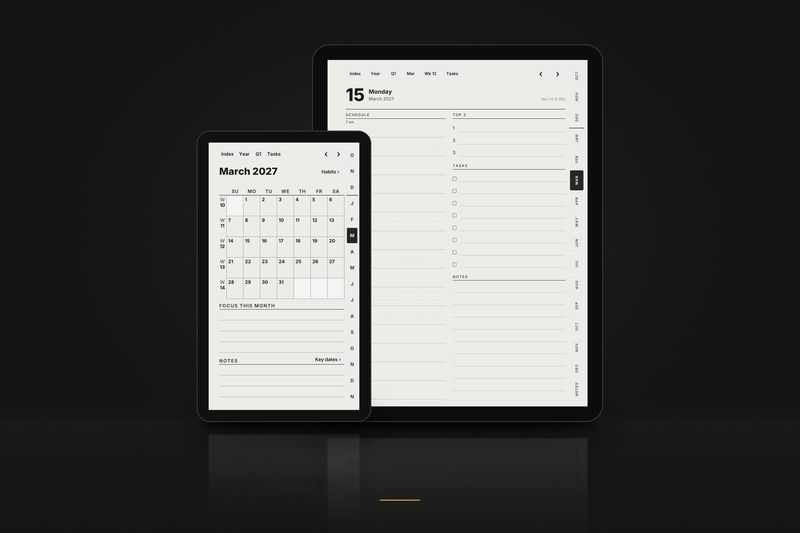
Planner, October 2026. All of October: the month, its habit tracker, every week and every day, with every link working. Files for the Large, Compact and Move layouts.
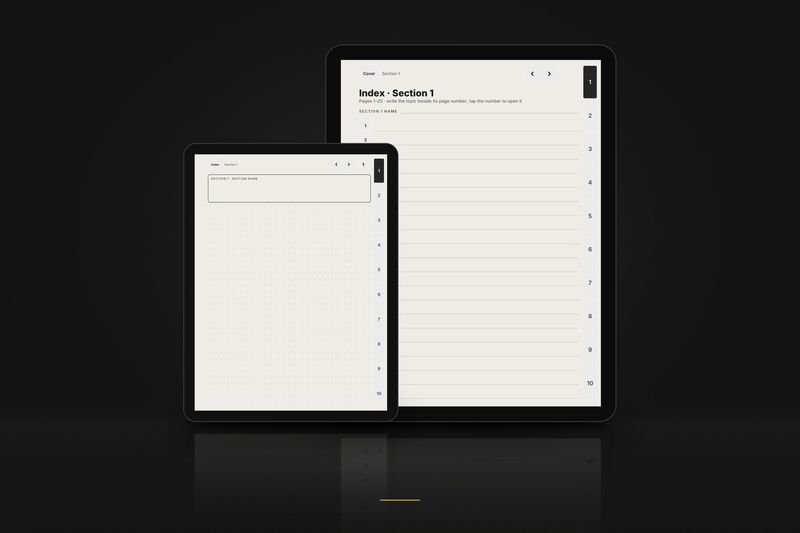
Notebook, 3 pages. The cover, the index of section 1 and page 1, in dot grid, right-handed. Files for the Large, Compact and Move layouts. Buttons that lead outside these 3 pages are printed but do nothing.
The full samples arrive by email. Tiny 3-page samples for each layout download directly from the free samples page, no email needed.
Every Meebook model with its edition and compatibility: the Meebook page.
Model pages:
Guides for other tablets: